Requirements & scope
Problem Statement & Requirements
Functional Requirements
- Limit the number of requests a client can make within a given time window
- Support multiple rate limiting rules (e.g., 100 req/min per user, 10,000 req/min per API key, 1M req/day per organization)
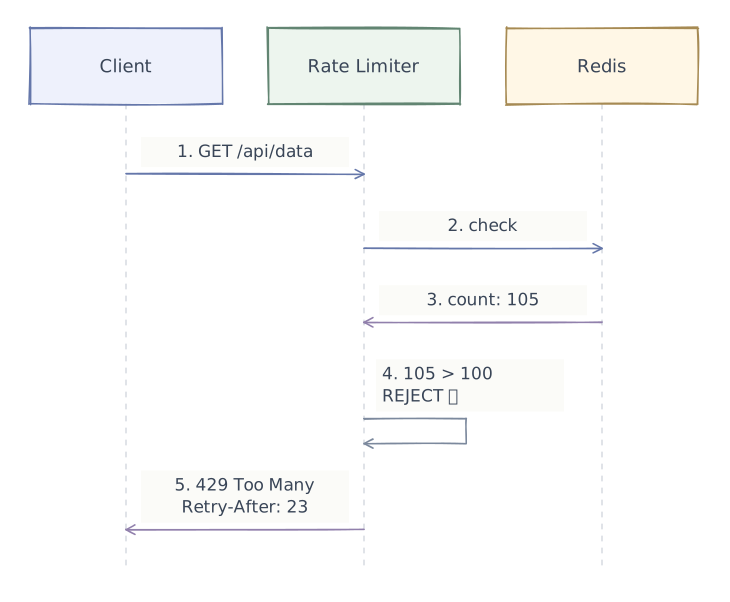
- Return appropriate HTTP status (429 Too Many Requests) with
Retry-Afterheader when throttled - Support multiple granularities: per-user, per-IP, per-API-key, per-endpoint
- Rules should be configurable at runtime without redeployment
Non-Functional Requirements
- Low latency — rate check must add < 1 ms to request path (p99)
- High availability — if the rate limiter is down, fail open (allow traffic) rather than blocking everything
- Distributed — must work across multiple servers (not just in-process)
- Accuracy — slight over-counting is acceptable; under-counting (allowing excess traffic) is not
- Memory efficient — millions of concurrent rate limit buckets
Out of Scope
- DDoS protection (that's a different layer — WAF/CDN level)
- Cost-based rate limiting (e.g., by compute units)
- Adaptive rate limiting based on system load (but discussed briefly)
Scale estimations
Scale Estimations
Traffic Assumptions
| Metric | Value |
|---|---|
| Total API requests / second | 500K RPS |
| Unique clients (users/API keys) | 10M |
| Rate limit rules | ~50 distinct rules |
| Avg checks per request | 2-3 (user + IP + endpoint) |
| Rate limit checks / second | ~1.25M |
Storage
| Metric | Value |
|---|---|
| Per-bucket state (counter + timestamp) | ~32 bytes |
| Active buckets (concurrent clients × rules) | 10M × 3 = 30M |
| Total memory | 30M × 32 bytes = ~960 MB |
| With overhead (hash table, pointers) | ~2-3 GB |
| Fits in a single Redis instance | ✅ Yes |
Latency Budget
| Component | Target |
|---|---|
| Network hop to Redis | ~0.2 ms |
| Redis command execution | ~0.1 ms |
| Total rate limit overhead | < 0.5 ms |
Layered architecture
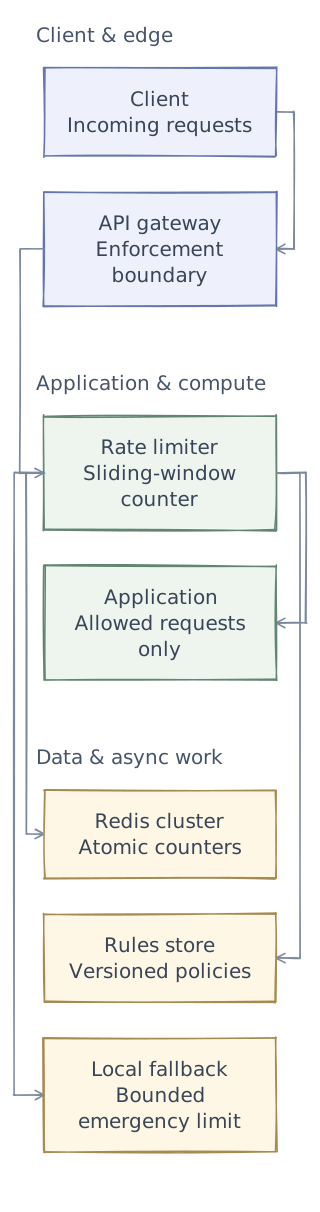
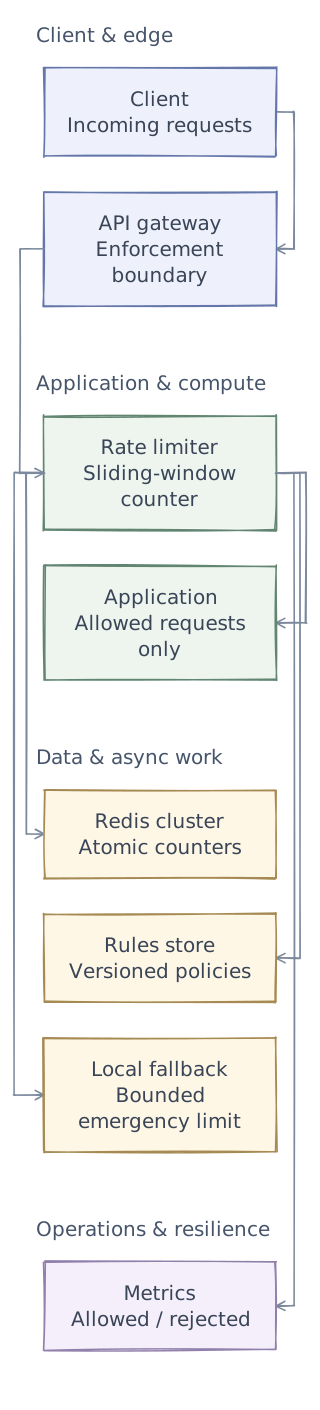
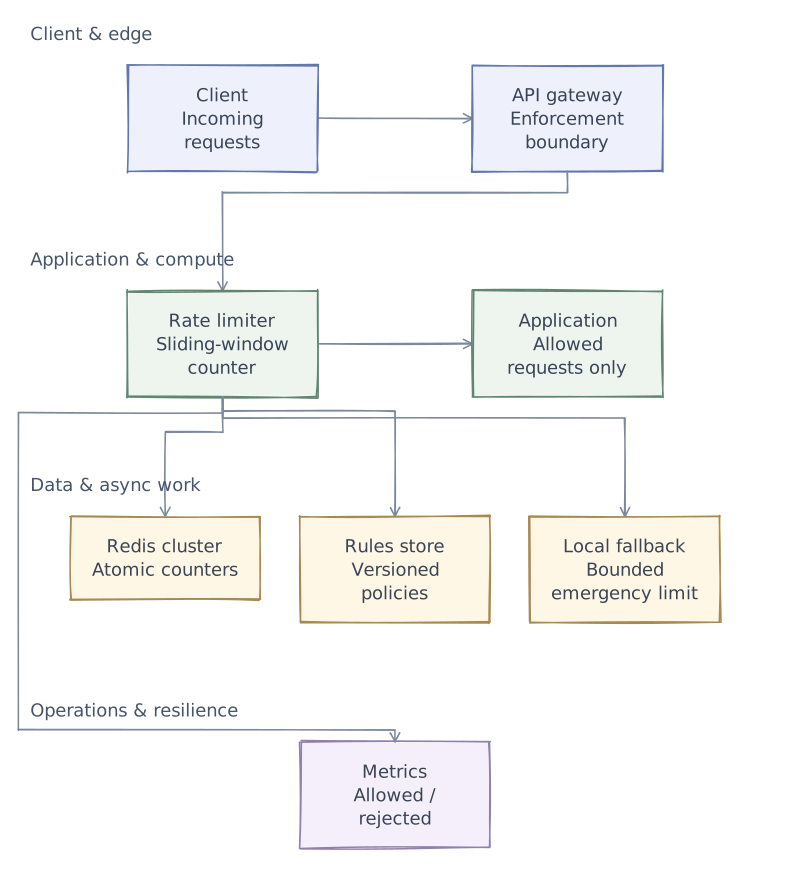
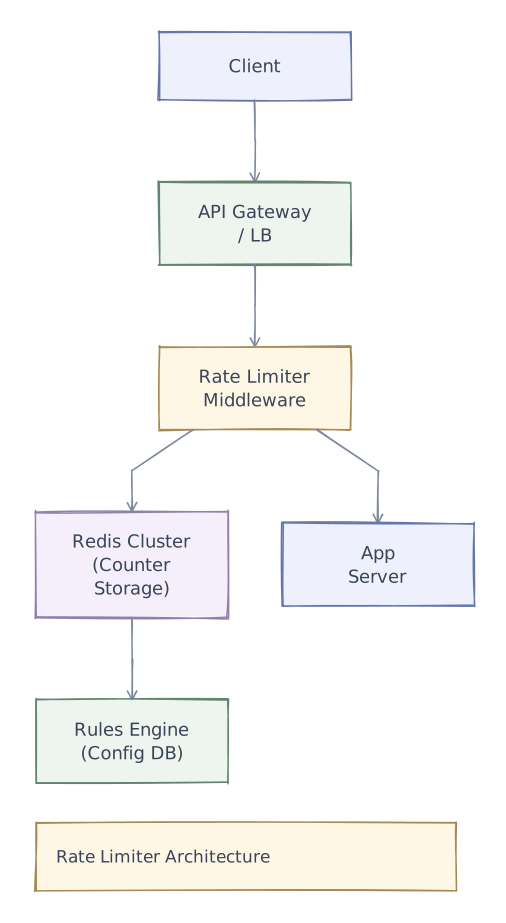
Phase 1 of 4 · Client & edge
Start with the entry points
First, define who uses the system and where requests enter. This is the boundary of the design, not yet a complete request path.
- Client
- Identify the subject of the limit: user, API key, IP, or a combination.
- API gateway
- Enforce server-side limits before expensive application work begins.
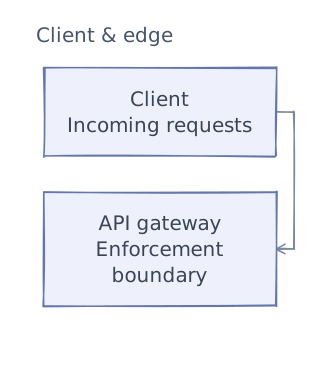
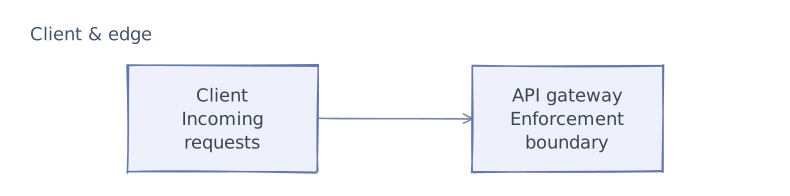
This first layer defines the system boundary. The next chapters add application logic and data dependencies. After examining the request paths and tradeoffs, we will add operational safeguards and bring the complete architecture together.
API & contracts
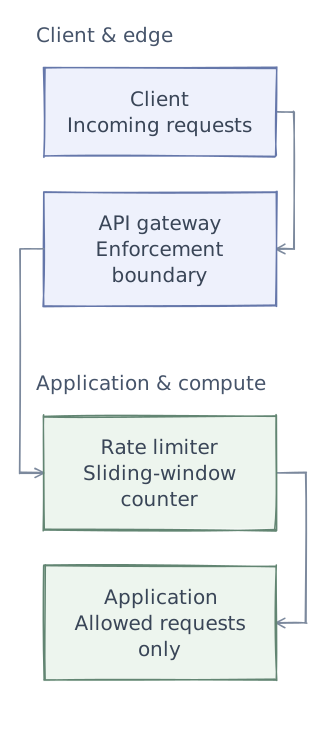
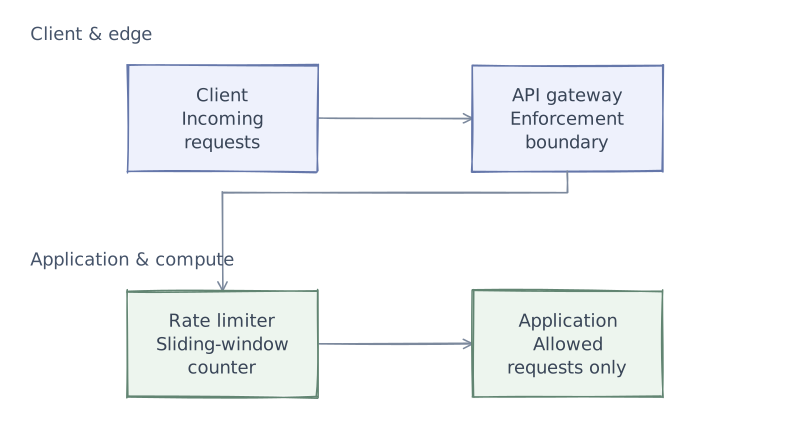
Phase 2 of 4 · Application & compute
Add the application logic
Keep the entry points and add the services that do the work. Give each service a clear responsibility before defining its contracts. Storage and background dependencies come next.
- Rate limiter
- Estimate recent usage across two windows to smooth the fixed-window boundary burst.
- Application
- Forward only admitted requests; return 429 and retry guidance when the limit is exceeded.
API Design
Rate-Limited Response Headers
HTTP/1.1 200 OK
X-RateLimit-Limit: 100
X-RateLimit-Remaining: 42
X-RateLimit-Reset: 1712160120    (Unix timestamp when window resets)

--- When throttled ---

HTTP/1.1 429 Too Many Requests
X-RateLimit-Limit: 100
X-RateLimit-Remaining: 0
X-RateLimit-Reset: 1712160120
Retry-After: 37                   (seconds until client can retry)
Content-Type: application/json

{
  "error": {
    "code": "RATE_LIMIT_EXCEEDED",
    "message": "Rate limit exceeded. Try again in 37 seconds.",
    "retry_after": 37
  }
}
Rules Management API
POST /admin/rate-limits/rules
{
  "name": "Standard user limit",
  "scope": "USER",
  "endpoint": "/api/v1/*",
  "max_requests": 100,
  "window_seconds": 60,
  "action": "REJECT"
}

GET /admin/rate-limits/rules
PUT /admin/rate-limits/rules/:rule_id
DELETE /admin/rate-limits/rules/:rule_idData model
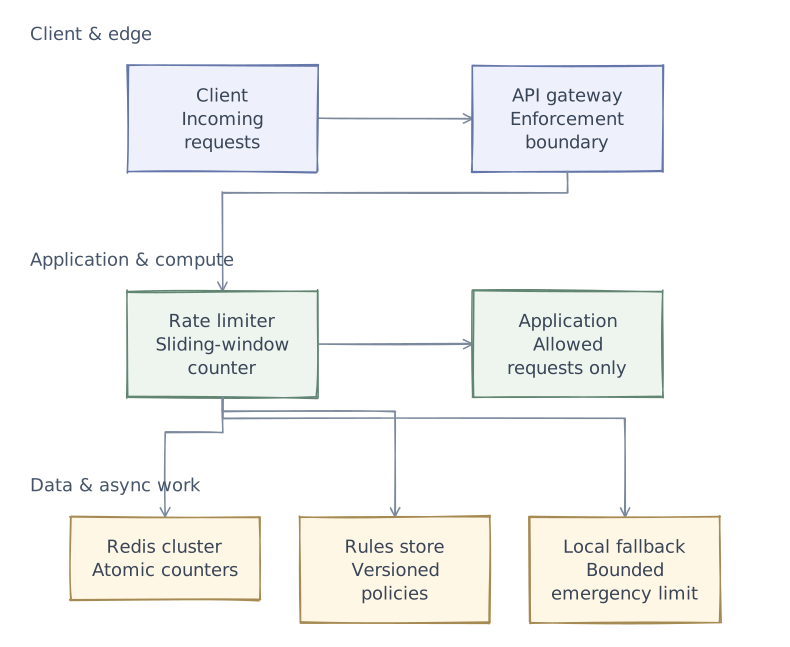
Phase 3 of 4 · Data & async work
Connect data and background work
The services now need their dependencies: durable state, fast lookups, or work that continues outside a request. Separate these responsibilities rather than treating every component as a database.
- Redis cluster
- Update shared counters atomically to avoid races between gateway instances.
- Rules store
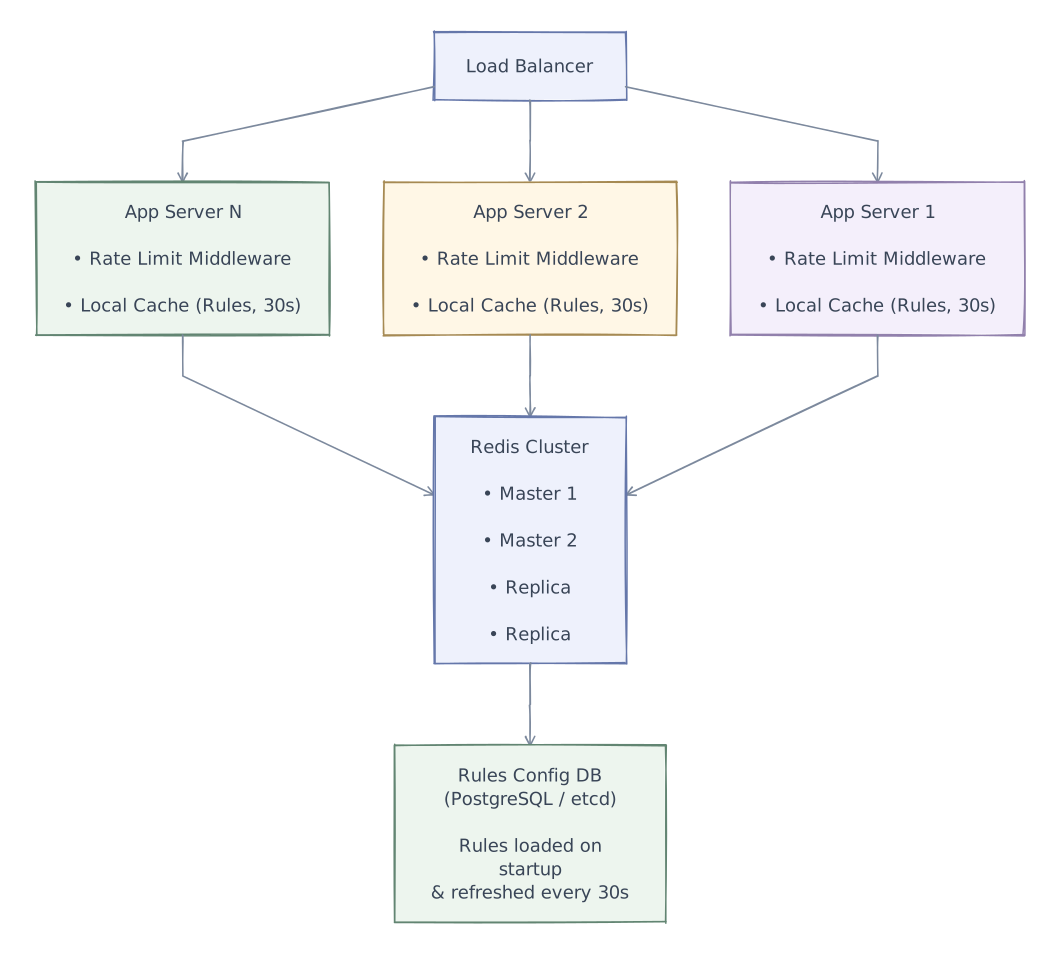
- Store per-endpoint and per-plan limits durably; refresh a local rules cache periodically.
- Local fallback
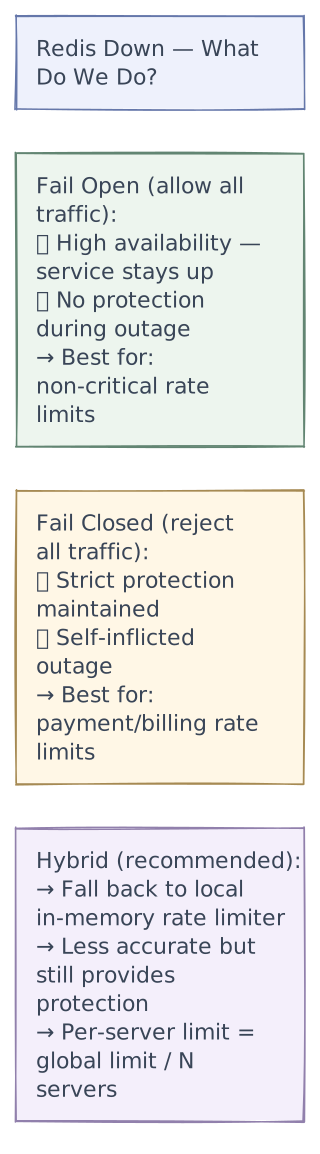
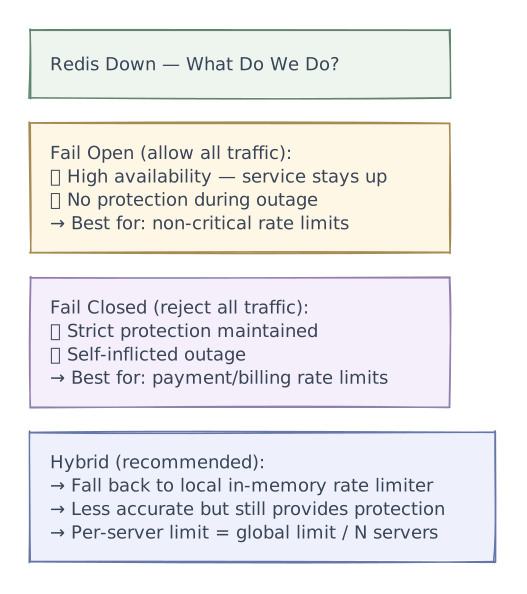
- Choose fail-open or fail-closed per endpoint. Local fallback trades global precision for availability.
Data Model
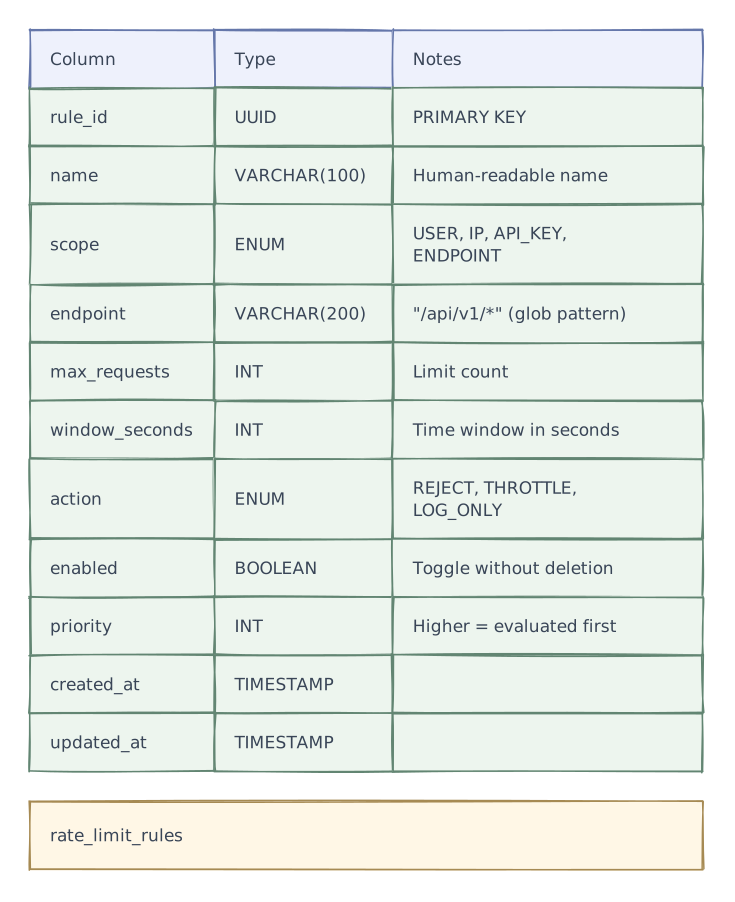
Rate Limit Rules

Redis Key Schema
Rate limit counters in Redis:

Key format:    rl:{scope}:{identifier}:{window_ts}
Example:       rl:user:user_123:1712160000
Value:         counter (integer)
TTL:           window_seconds × 2 (auto-cleanup)

For sliding window counter:
  rl:user:user_123:1712160000  →  84   (previous window)
rl:user:user_123:1712160060 → 36 (current window)Core design decisions
Rate Limiting Algorithms — Deep Dive
Algorithm 1: Token Bucket
The most common algorithm. Used by AWS, Stripe, and most cloud APIs.
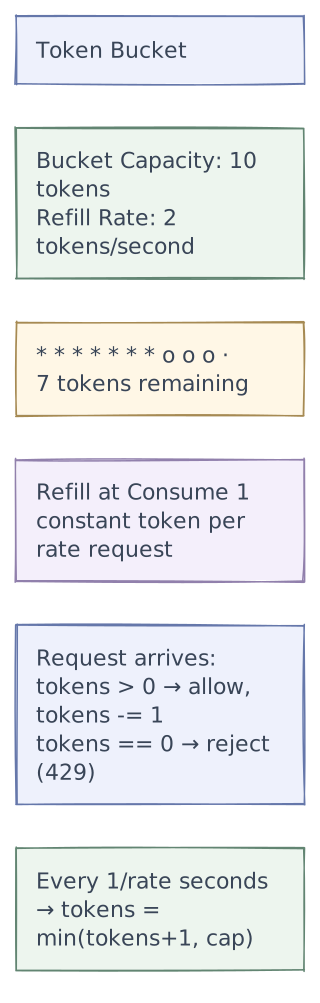
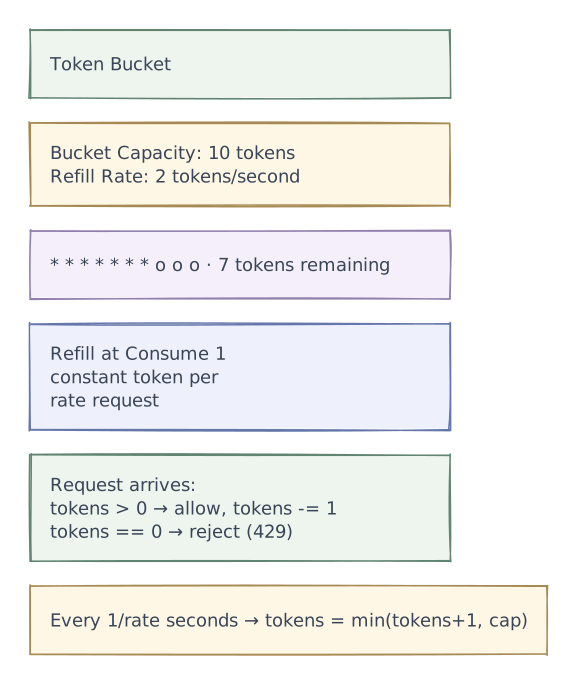
State per bucket: { tokens: float, last_refill: timestamp }
Pseudocode:
function allow_request(key, capacity, refill_rate):
    bucket = get_or_create(key)
    now = current_time()

    // Refill tokens based on elapsed time
    elapsed = now - bucket.last_refill
    bucket.tokens = min(capacity, bucket.tokens + elapsed * refill_rate)
    bucket.last_refill = now

    if bucket.tokens >= 1:
        bucket.tokens -= 1
        return ALLOW
    else:
return REJECT| Pros | Cons |
|---|---|
| Allows burst traffic (up to bucket capacity) | Two parameters to tune (capacity + rate) |
| Smooth rate limiting over time | Slightly more complex than fixed window |
| Memory efficient (2 values per bucket) | |
| Well understood, battle-tested |
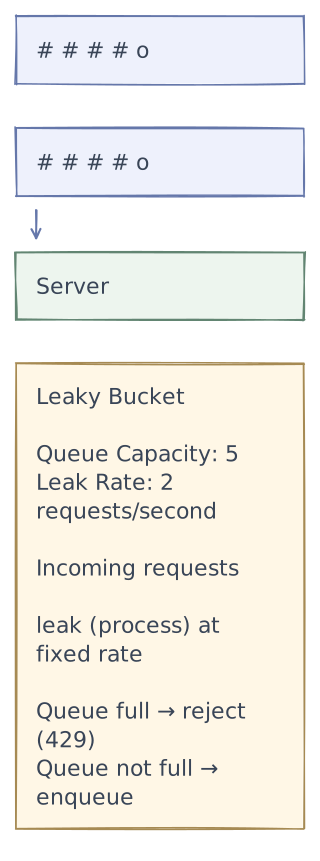
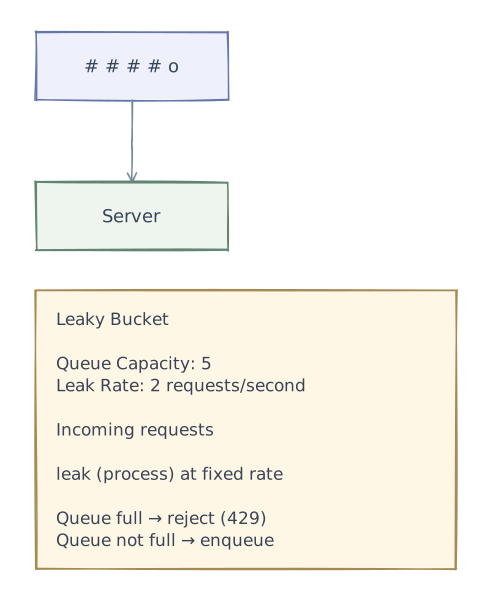
Algorithm 2: Leaky Bucket
Requests enter a FIFO queue and are processed at a fixed rate. Overflow is rejected.
| Pros | Cons |
|---|---|
| Produces a perfectly smooth output rate | No burst tolerance — bad for legitimate spikes |
| Simple mental model | Queued requests add latency |
| Good for systems requiring constant throughput | Old requests may sit in queue |
Algorithm 3: Fixed Window Counter
Divide time into fixed windows (e.g., 1-minute intervals). Count requests per window.
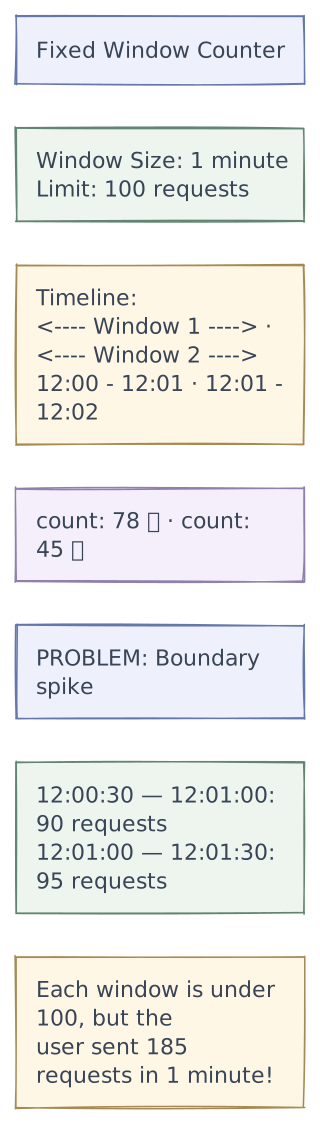
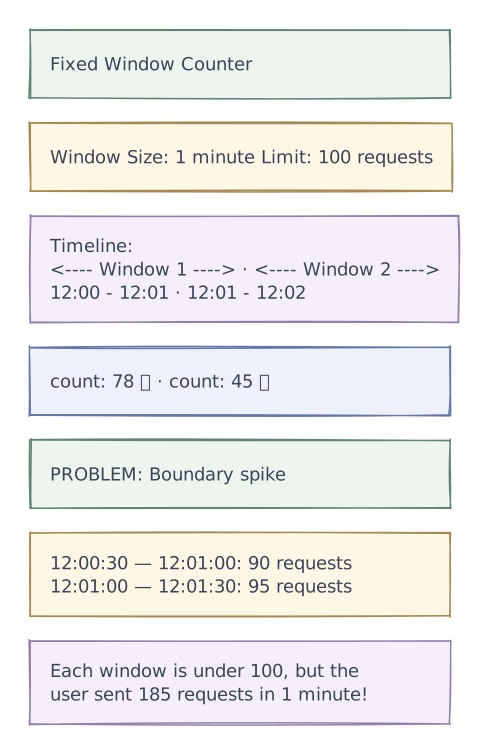
State per bucket: { count: int, window_start: timestamp }
| Pros | Cons |
|---|---|
| Very simple, O(1) time and space | Boundary problem — allows 2x burst at window edges |
| Easy to implement in Redis (INCR + EXPIRE) | Not smooth |
| Memory efficient (1 counter per window) |
Algorithm 4: Sliding Window Log
Store the timestamp of each request. Count requests within the trailing window.
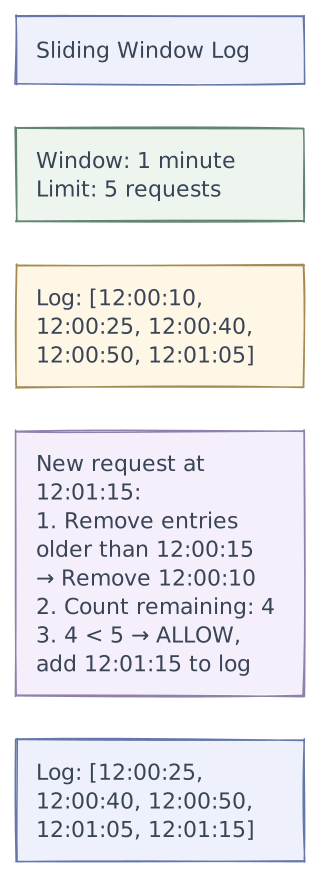
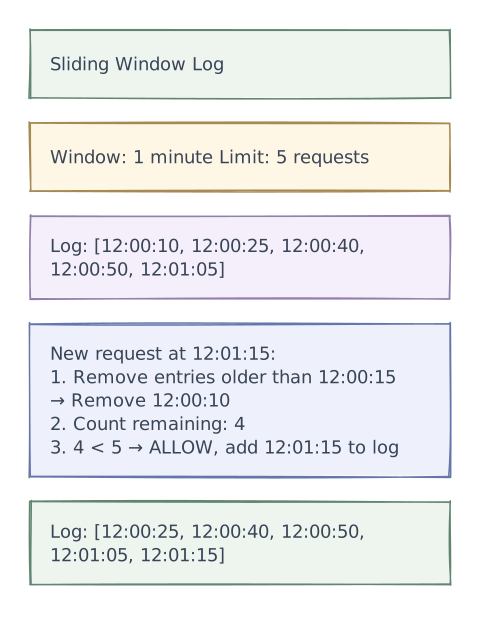
| Pros | Cons |
|---|---|
| Perfectly accurate — no boundary problem | High memory — stores every timestamp |
| Smooth, true sliding window | O(N) cleanup per request |
| At 100 req/min: 100 timestamps × 8 bytes = 800 bytes/user | |
| At scale (10M users): ~8 GB just for timestamps |
Algorithm 5: Sliding Window Counter (Hybrid) ⭐ Recommended
Combines fixed window simplicity with sliding window accuracy. Used by Cloudflare, Kong.
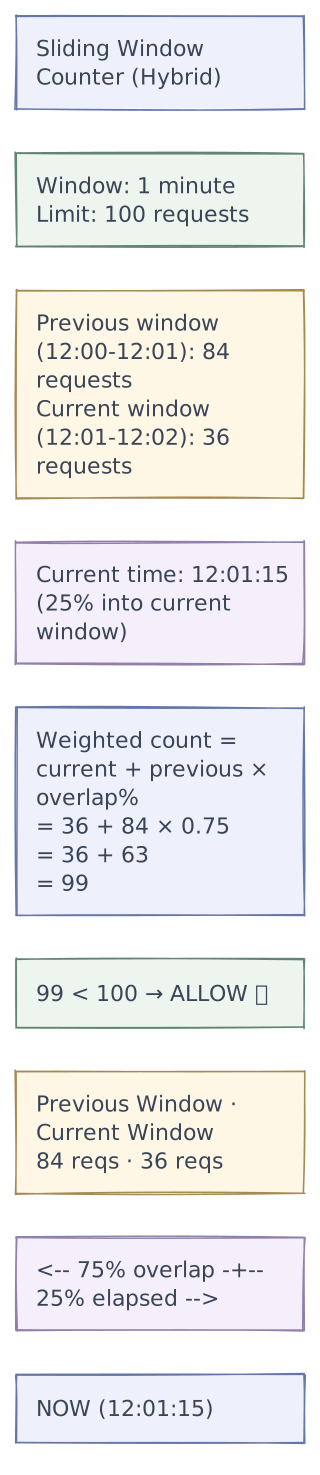
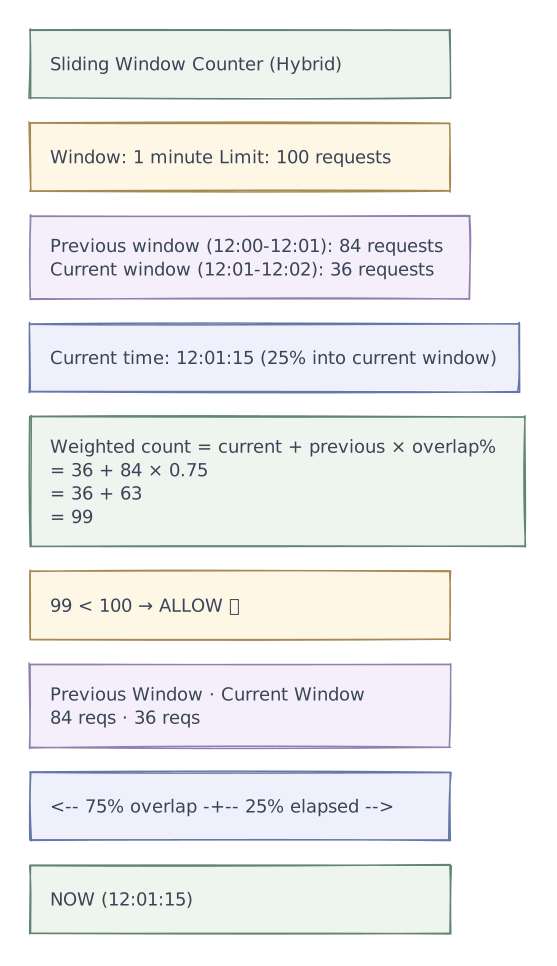
State per bucket: { prev_count: int, curr_count: int, window_start: timestamp } — only 20 bytes!
Formula:
overlap_ratio = 1 - (current_time - current_window_start) / window_size
weighted_count = current_count + previous_count × overlap_ratio| Pros | Cons |
|---|---|
| Near-perfect accuracy (within 0.003% of true sliding window) | Slight approximation |
| Memory efficient — only 2 counters per bucket | |
| O(1) time per check | |
| No boundary spike problem | |
| Simple Redis implementation |
Request flows
Detailed Flow Diagrams
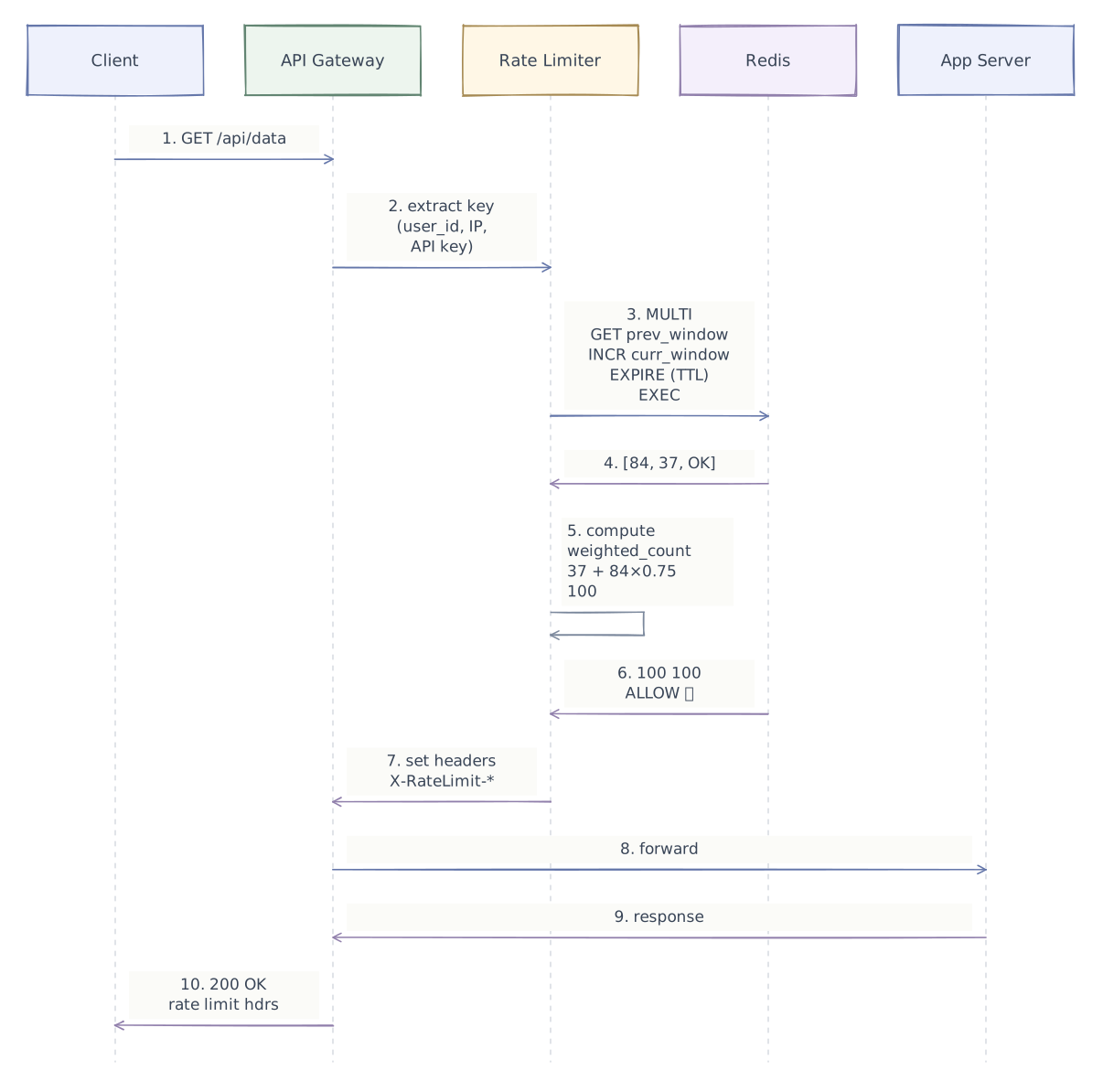
Request Flow Through Rate Limiter

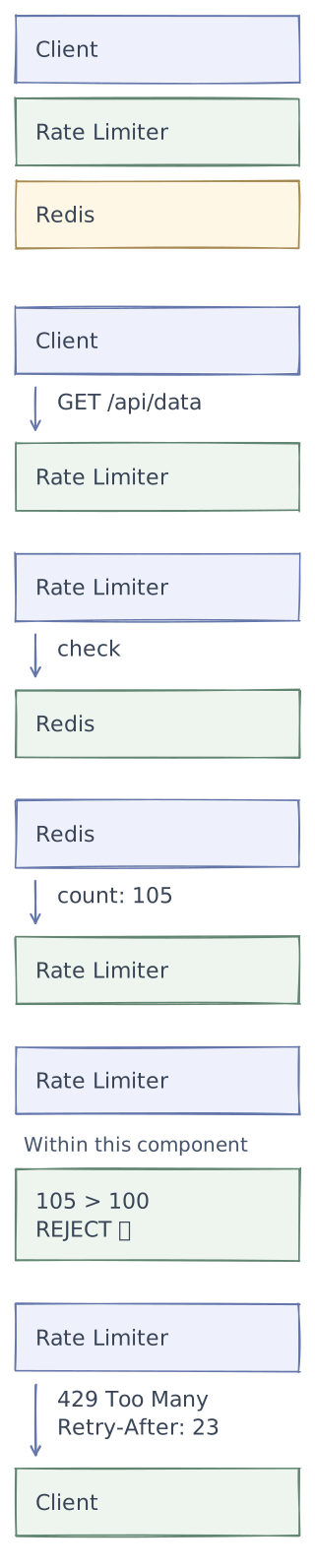
Throttled Request Flow
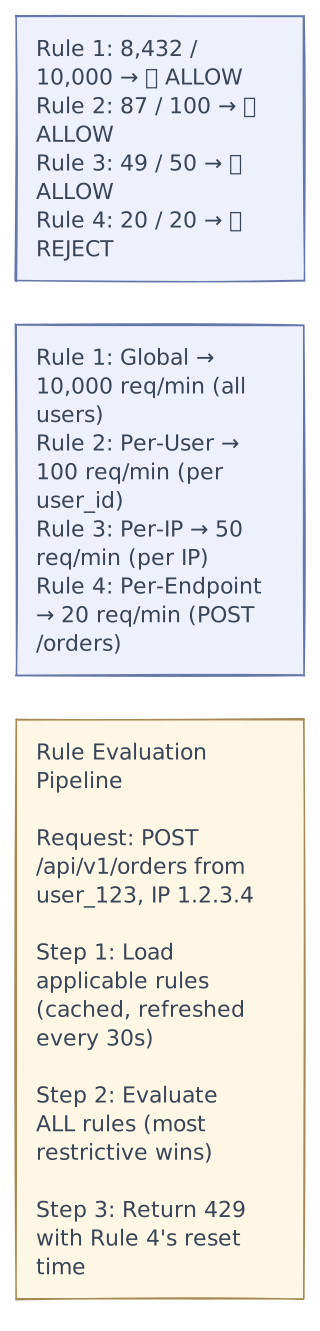
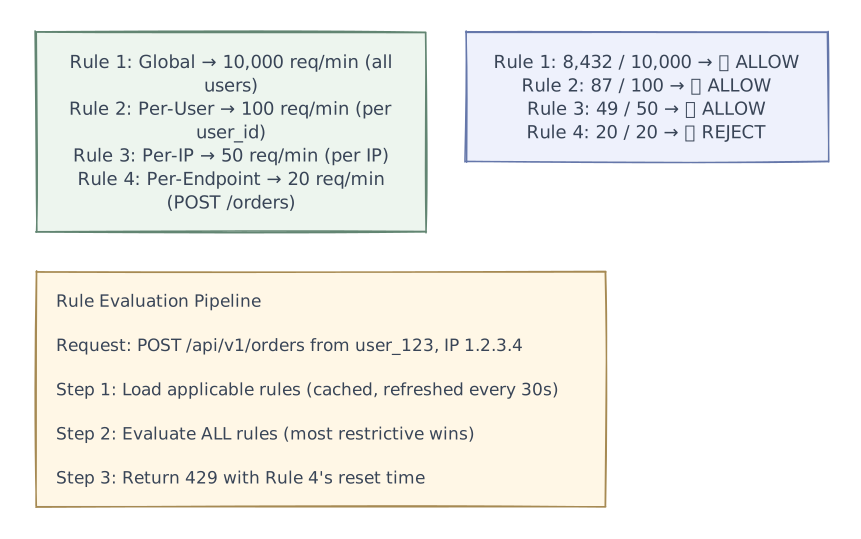
Rule Evaluation Flow
Performance & caching
The limiter sits on every admitted request, so one extra network call matters. Keep versioned rules close to the gateway and update counters atomically. A local token allowance can reduce shared-store traffic, but the allowance must be bounded: every gateway holding spare tokens increases the possible overshoot.
Advanced design
Where to Place the Rate Limiter

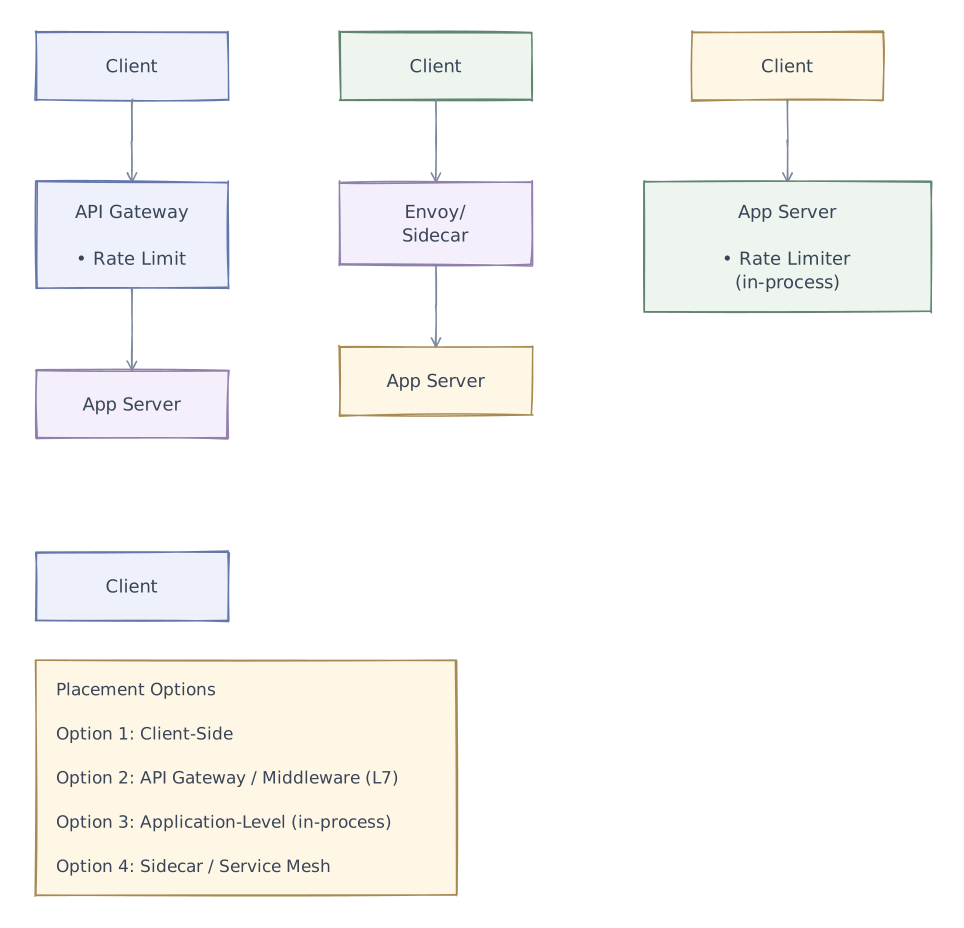
Recommendation: API Gateway / Middleware layer — centralized, language-agnostic, applied before business logic runs.
Redis Implementation (Sliding Window Counter)
Lua Script for Atomic Rate Check
Using a Lua script ensures atomicity in Redis — no race conditions.
-- KEYS[1] = rate limit key prefix (e.g., "rl:user:user_123")
-- ARGV[1] = window size in seconds
-- ARGV[2] = max requests (limit)
-- ARGV[3] = current timestamp (seconds)

local key_prefix = KEYS[1]
local window = tonumber(ARGV[1])
local limit = tonumber(ARGV[2])
local now = tonumber(ARGV[3])

-- Calculate window boundaries
local current_window = math.floor(now / window) * window
local previous_window = current_window - window
local elapsed = now - current_window
local weight = 1 - (elapsed / window)

-- Get counters
local curr_key = key_prefix .. ":" .. current_window
local prev_key = key_prefix .. ":" .. previous_window

local prev_count = tonumber(redis.call("GET", prev_key) or "0")
local curr_count = tonumber(redis.call("GET", curr_key) or "0")

-- Calculate weighted count
local weighted_count = curr_count + prev_count * weight

if weighted_count >= limit then
    -- Calculate retry-after
    local retry_after = window - elapsed
    return {0, math.ceil(weighted_count), retry_after}  -- rejected
end

-- Increment current window
curr_count = redis.call("INCR", curr_key)
redis.call("EXPIRE", curr_key, window * 2)  -- TTL = 2x window for overlap

weighted_count = curr_count + prev_count * weight
local remaining = math.max(0, math.floor(limit - weighted_count))

return {1, remaining, current_window + window - now}  -- allowed
Token Bucket in Redis (Alternative)
-- KEYS[1] = bucket key
-- ARGV[1] = capacity (max tokens)
-- ARGV[2] = refill rate (tokens per second)
-- ARGV[3] = current timestamp (milliseconds)
-- ARGV[4] = tokens to consume (usually 1)

local key = KEYS[1]
local capacity = tonumber(ARGV[1])
local rate = tonumber(ARGV[2])
local now = tonumber(ARGV[3])
local requested = tonumber(ARGV[4])

-- Get current state
local data = redis.call("HMGET", key, "tokens", "last_refill")
local tokens = tonumber(data[1]) or capacity
local last_refill = tonumber(data[2]) or now

-- Refill tokens
local elapsed = (now - last_refill) / 1000  -- convert to seconds
tokens = math.min(capacity, tokens + elapsed * rate)

local allowed = 0
local remaining = tokens

if tokens >= requested then
    tokens = tokens - requested
    allowed = 1
    remaining = tokens
end

-- Save state
redis.call("HMSET", key, "tokens", tokens, "last_refill", now)
redis.call("EXPIRE", key, math.ceil(capacity / rate) * 2)

return {allowed, math.floor(remaining)}
Distributed Rate Limiting
The Challenge
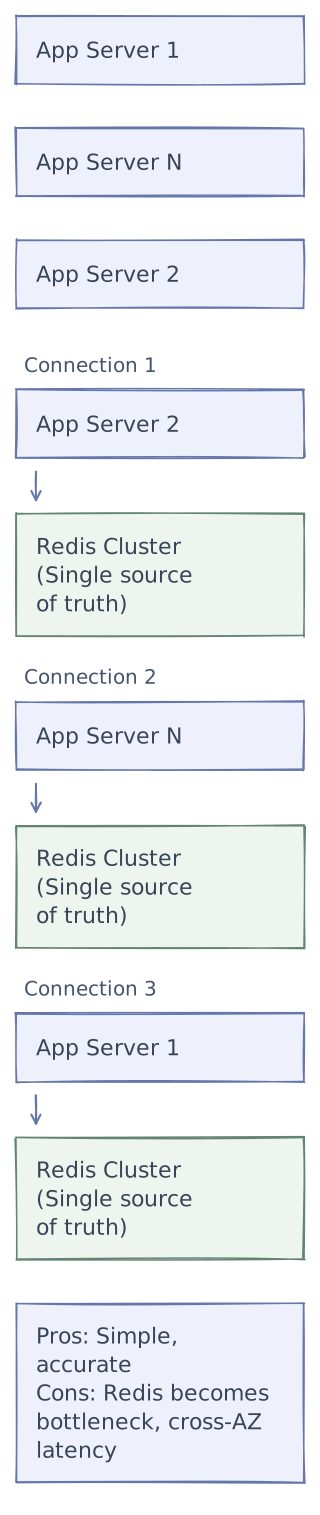
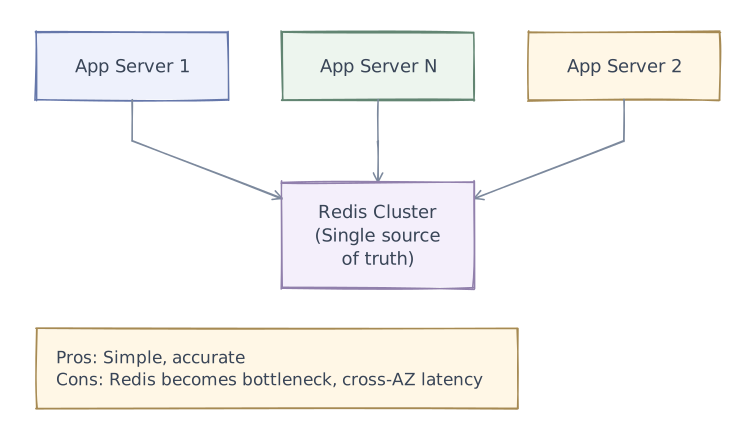
With N app servers, each checking Redis independently, we need:
- Global accuracy — the total across all servers respects the limit
- Low latency — can't have every request wait for cross-datacenter Redis
Strategy 1: Centralized Redis (Simple)
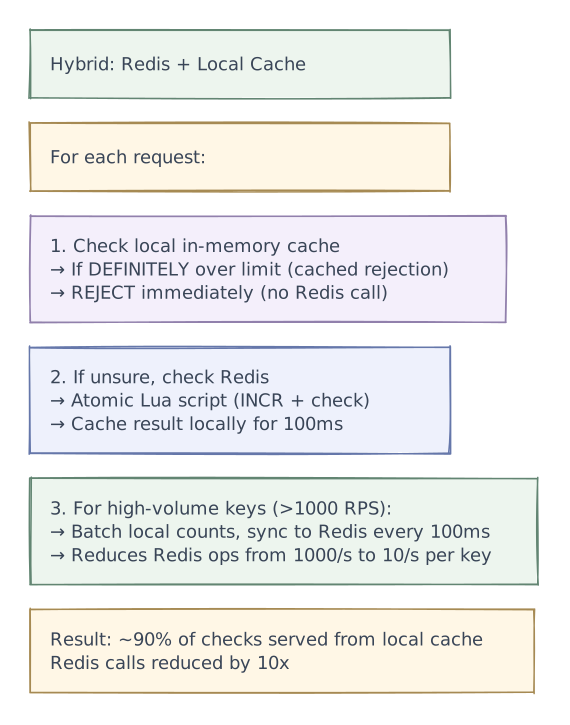
Strategy 2: Local Counter + Periodic Sync
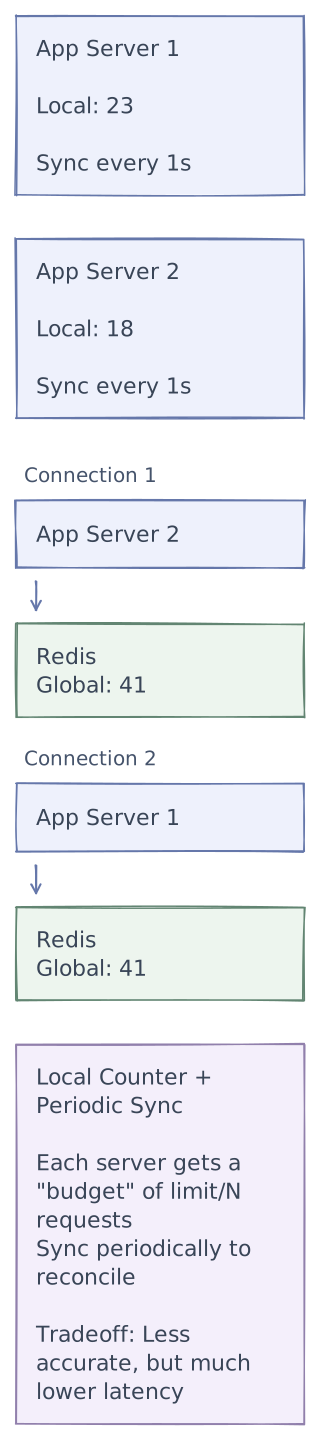
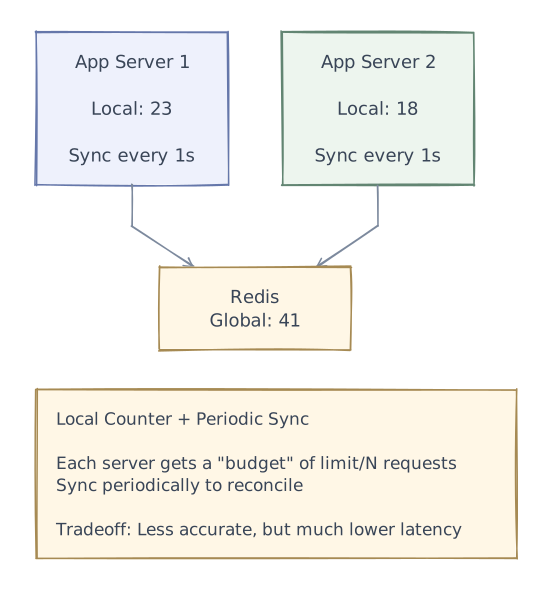
How it works:
- Each server gets
limit / Nas its local budget - Count requests locally (in-memory, zero network latency)
- Every 1 second, sync local counts to Redis
- If global count approaches limit, reduce local budgets
- Accuracy: within
N × sync_interval × max_rps_per_serverof true count
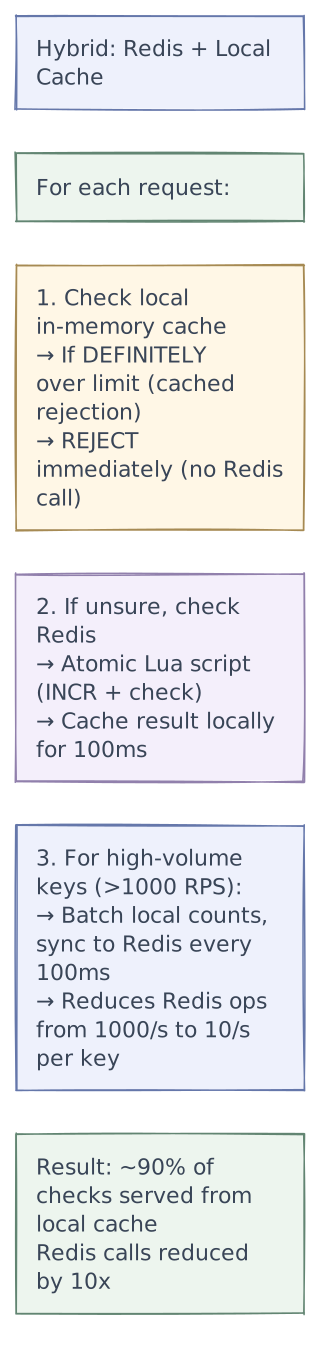
Strategy 3: Redis + Local Cache (Hybrid) ⭐ Recommended
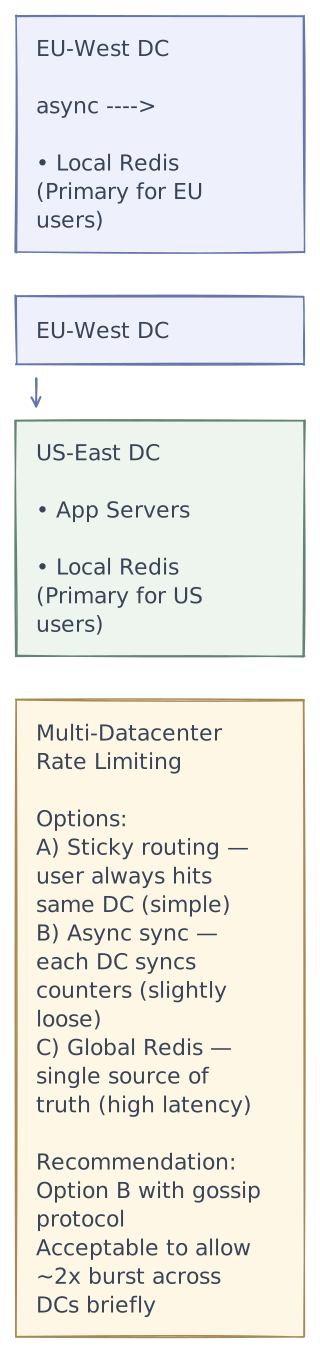
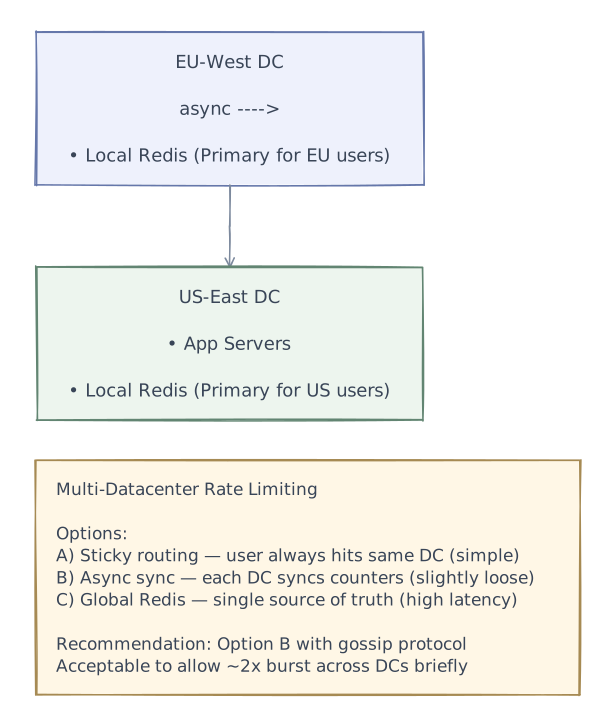
Multi-Datacenter Rate Limiting
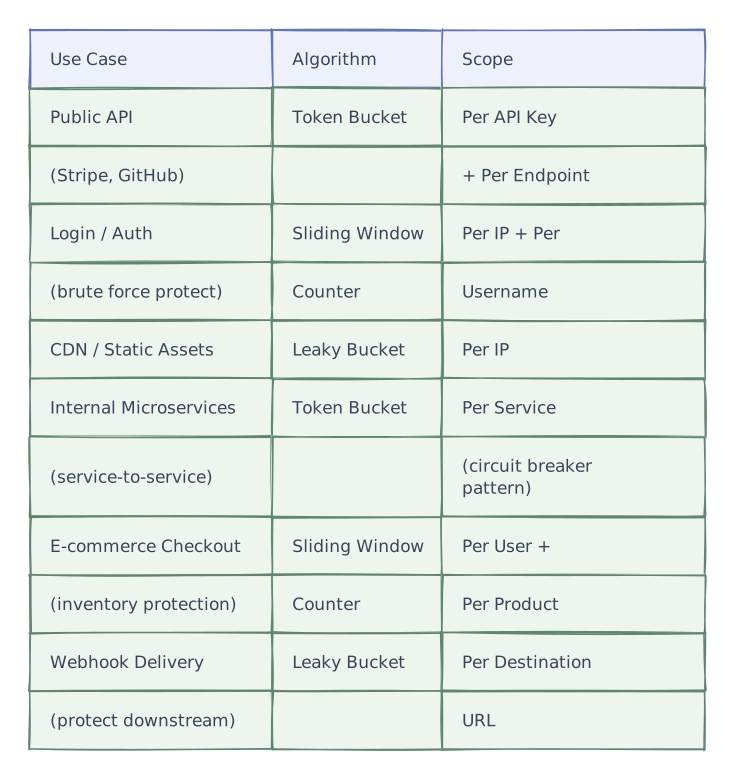
Rate Limiting Strategies by Use Case

Edge cases
Handling Edge Cases
Race Conditions
- Problem: Two requests arrive simultaneously, both read count=99, both increment to 100 → 101 allowed
- Solution: Redis Lua scripts are atomic —
INCRis atomic, and the Lua script runs check+increment as one operation
Clock Skew (Distributed)
- Problem: Different servers have slightly different clocks → window boundaries differ
- Solution: Use Redis server time (
redis.call('TIME')) as the source of truth, not app server time
Burst at Startup
- Problem: When a server restarts, it has no cached rules → all requests bypass rate limiting until rules load
- Solution: Default deny for the first 100ms until rules are loaded. Pre-warm rule cache on startup.
Hot Keys
- Problem: A single user/IP generating extreme traffic creates hot key in Redis
- Solution:
- Local in-memory counter for hot keys (detect > 10x limit, then reject locally)
- Redis key sharding (e.g.,
rl:user:123:{shard}across multiple keys, sum on read)
Fail Open vs Fail Closed
Tradeoffs
Algorithm Comparison Summary
| Algorithm | Accuracy | Memory | Burst Handling | Complexity | Best For |
|---|---|---|---|---|---|
| Token Bucket | High | Low (2 values) | Allows controlled bursts | Medium | General API rate limiting |
| Leaky Bucket | High | Medium (queue) | No bursts (smooth) | Medium | Constant throughput systems |
| Fixed Window | Low (boundary issue) | Very Low (1 counter) | Allows 2x burst at boundary | Low | Simple use cases |
| Sliding Window Log | Perfect | High (all timestamps) | No bursts | High | Small-scale, precision-critical |
| Sliding Window Counter | Near-perfect | Low (2 counters) | Smooth | Low | Production distributed systems |
Tradeoffs & Design Decisions Summary
| Decision | Option A | Option B | Chosen | Why |
|---|---|---|---|---|
| Algorithm | Token Bucket | Sliding Window Counter | Depends on use case | Token bucket for APIs (burst-friendly); Sliding window for strict limits |
| Storage | In-memory per server | Centralized Redis | Redis + local cache | Global accuracy with local caching for performance |
| Failure mode | Fail open | Fail closed | Hybrid (local fallback) | Availability-first, with degraded protection |
| Rule evaluation | First match | Most restrictive wins | Most restrictive | Prevents bypassing a strict rule via a lenient one |
| Multi-DC | Global Redis | Async replication | Async replication | Cross-DC latency too high for request-path check |
| Clock source | App server clock | Redis server time | Redis server time | Eliminates clock skew across distributed servers |
| Response to throttle | 429 only | 429 + headers | 429 + full headers | Retry-After + remaining count helps clients self-throttle |
Reliability & fault tolerance
Phase 4 of 4 · Operations & resilience
Add operational safeguards
With the request paths and tradeoffs established, add the controls that help detect trouble and keep the system operating. The final diagram retains every layer introduced so far.
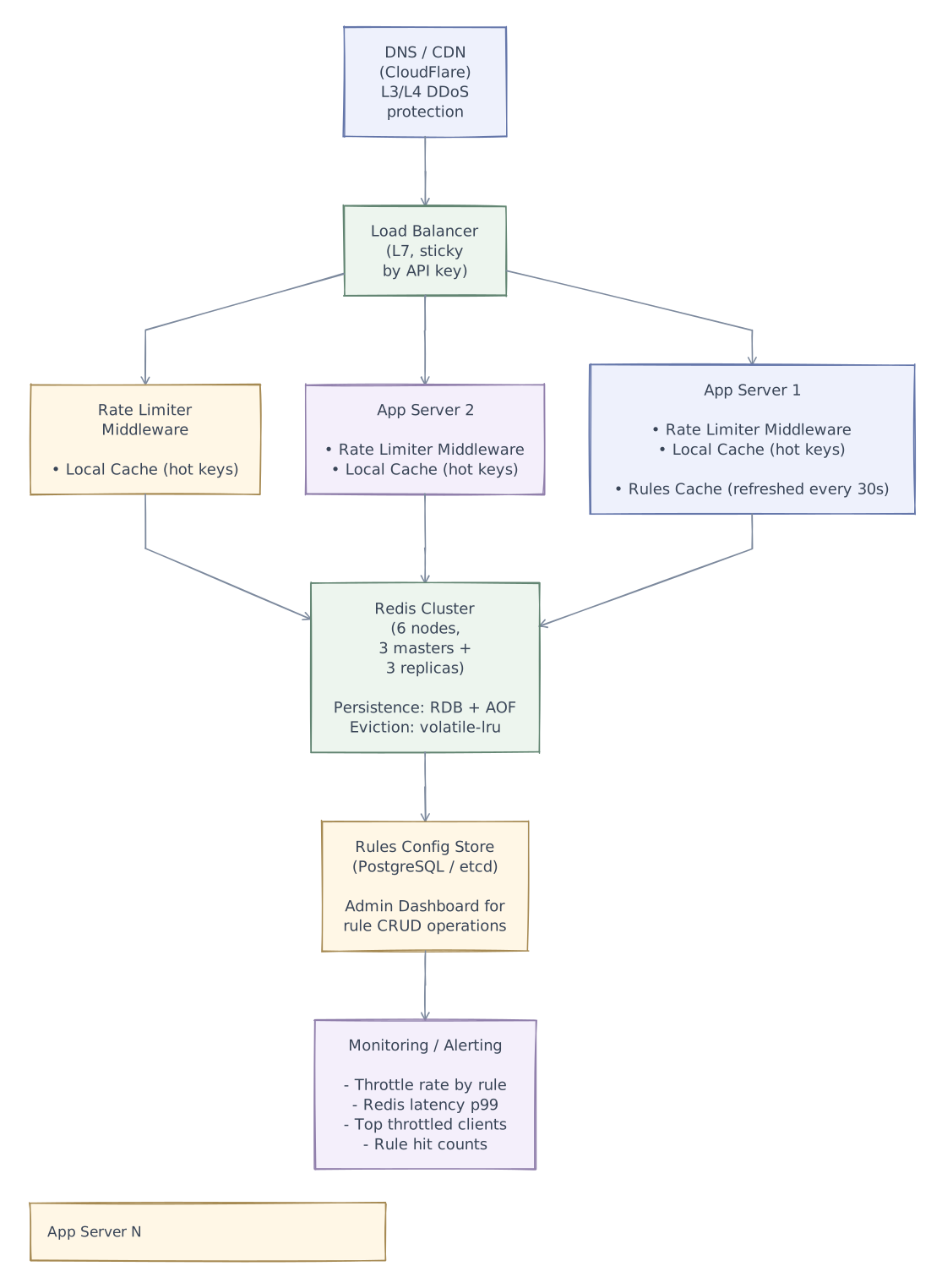
- Metrics
- Measure false rejection risk, Redis latency, and limit saturation before changing policy.
If the counter store stops responding, there is no universally correct fallback. A public read endpoint might continue under a conservative local limit; an expensive export endpoint may need to reject work. Choose the policy per operation, and track fallback traffic separately so an outage does not silently remove protection.
Production architecture
High-Level Architecture

Detailed Component Architecture

Production Architecture (Full)

Further exploration
Give one customer a burst of traffic across three regions. Compare a strict global budget with independent regional budgets. Which promise matters more for this product: never exceeding the limit, or keeping requests fast during a network partition? Put a number on the overshoot each compromise allows.
Interview playbook
Interview Tips
Clarify scope first — "Is this a client-facing API rate limiter, or internal service-to-service?" The design differs significantly.
Lead with algorithms — Draw out token bucket and sliding window counter. Explain the fixed-window boundary problem — this shows depth.
Discuss distributed challenges early — "A single-server rate limiter is trivial. The interesting part is making it work across N servers." Then discuss Redis as shared state.
Mention Lua scripts — Shows you understand atomicity requirements. Race conditions between check-and-increment is a common pitfall.
Fail open vs fail closed — This is a maturity signal. Junior engineers forget to discuss what happens when the rate limiter infrastructure itself fails.
Don't forget headers —
X-RateLimit-Remaining,Retry-After— these matter for client experience and show you think about API design holistically.Multi-tenancy — If the system serves multiple API customers, discuss per-tenant limits, fairness, and noisy neighbor prevention.
Mention real implementations — "Stripe uses token bucket with per-key limits," "Cloudflare uses sliding window counters at edge" — shows industry awareness.