Requirements & scope
Problem Statement & Requirements
Functional Requirements
- Concurrent editing — multiple users edit the same document simultaneously
- Real-time sync — edits appear on all collaborators' screens within ~100 ms
- Conflict resolution — concurrent edits to the same section must merge correctly without data loss
- Cursor & selection sync — see where other users' cursors are and what they've selected
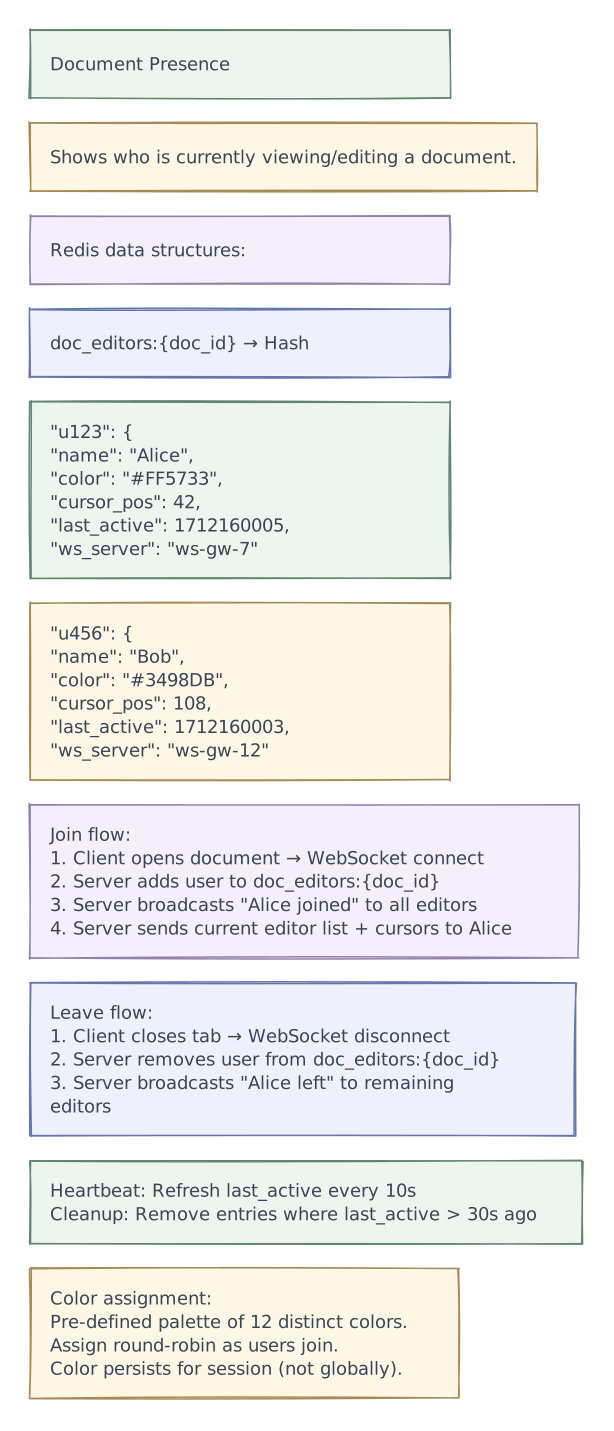
- Presence — show who is currently viewing/editing the document
- Undo/redo — per-user undo that doesn't revert other users' changes
- Version history — view and restore previous versions of the document
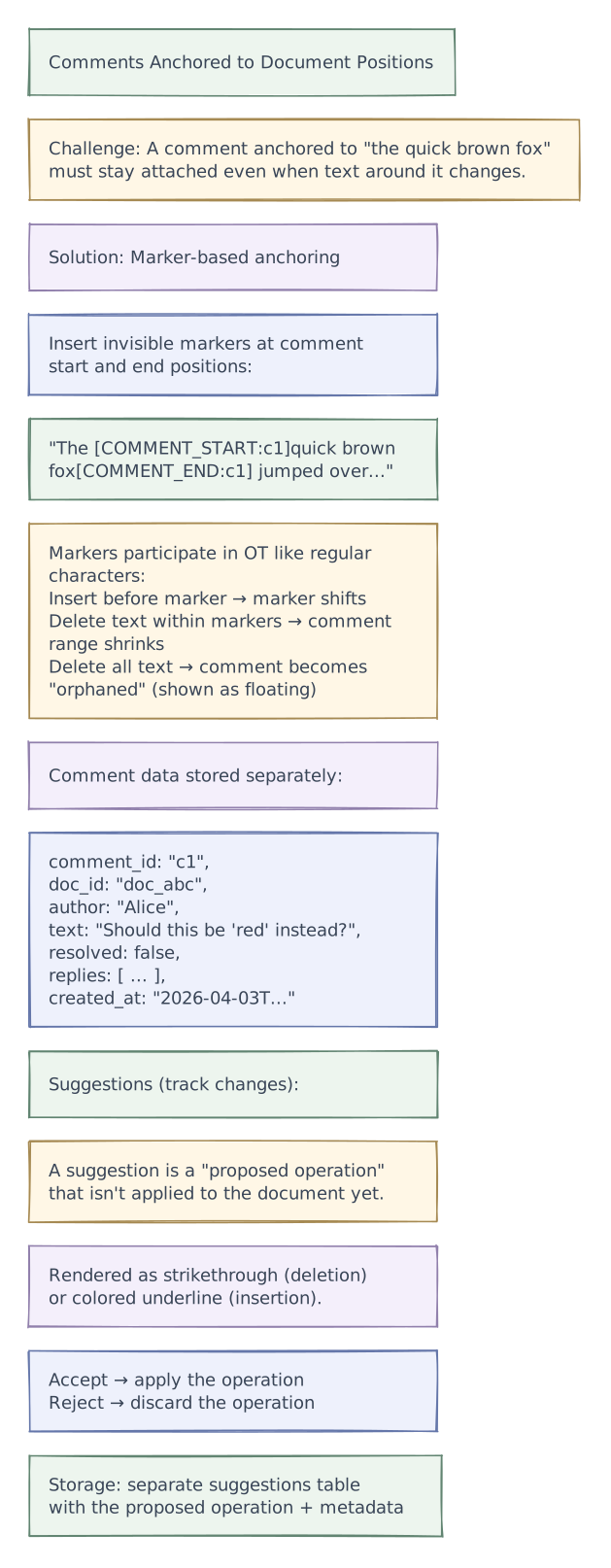
- Comments & suggestions — inline annotations anchored to document positions
- Offline editing — queue local changes and sync when reconnected
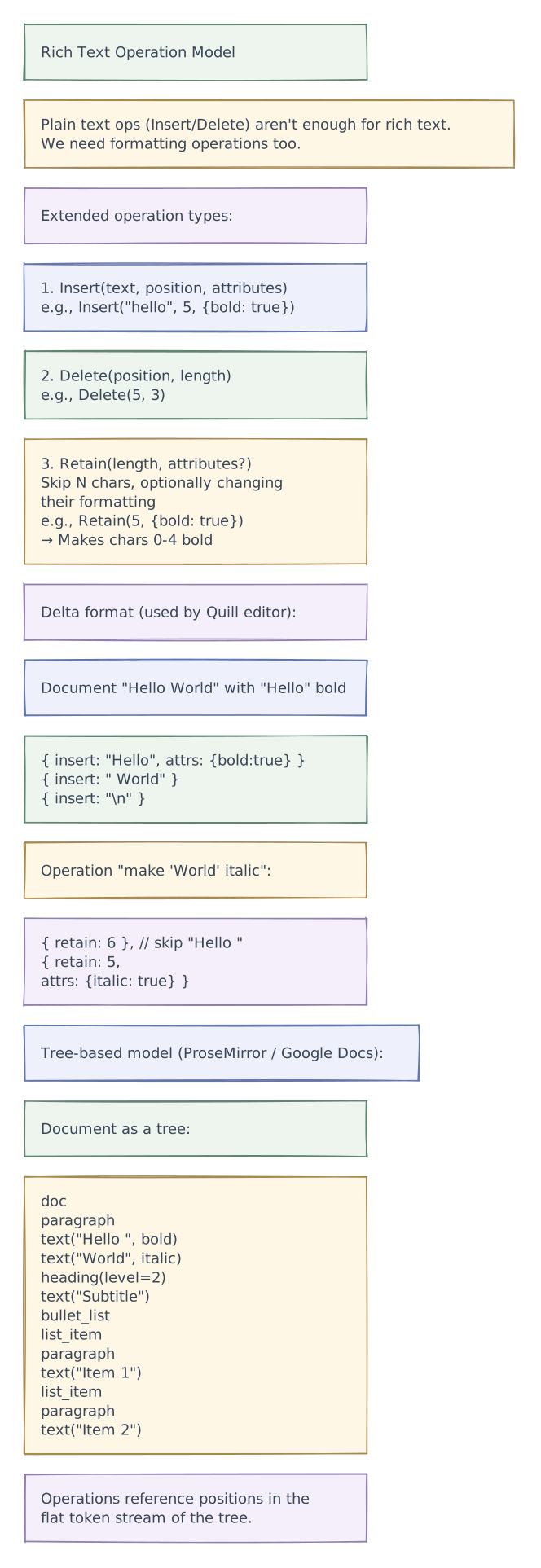
- Rich text — bold, italic, headings, lists, tables, images
Non-Functional Requirements
- Low latency — local edits appear instantly (< 16 ms); remote edits visible within 100-200 ms
- Consistency — all users converge to the same document state (eventual consistency)
- High availability — documents always editable, even during partial outages
- Scalability — support millions of documents, thousands with 50+ concurrent editors
- Durability — no data loss; every accepted edit is persisted
- Ordering — causal ordering of operations preserved
Out of Scope
- Spreadsheet-specific features (cell formulas, recalculation)
- Presentation/slides editing
- Drawing/whiteboard (requires different data model)
- Real-time voice/video (that's WebRTC)
Scale estimations
Scale Estimations
Users & Documents
| Metric | Value |
|---|---|
| Total users | 500M |
| Daily Active Users (DAU) | 50M |
| Total documents | 5B |
| Documents edited per day | 100M |
| Avg concurrent editors per document | 3-5 |
| Max concurrent editors (edge case) | 100+ |
| Avg edits per user per minute | 30 (typing) |
Operations
| Metric | Value |
|---|---|
| Edits per second (global) | 50M DAU × 30 edits/min × (10 min active/session) / 86400 = ~175K ops/sec |
| Peak edits per second | ~500K ops/sec |
| Cursor position updates per second | ~350K/sec (2× edit rate, includes mouse moves) |
| WebSocket connections (concurrent) | ~10M |
Storage
| Metric | Value |
|---|---|
| Average document size | 50 KB (text only) |
| Average operation size | 100 bytes |
| Operations per document per day | ~1,000 |
| Operation log storage per day | 100M docs × 1,000 ops × 100 bytes = ~10 TB/day |
| Document snapshots | 5B × 50 KB = ~250 TB |
| Operation log (30-day retention before compaction) | ~300 TB |
Network
| Metric | Value |
|---|---|
| Inbound (edits) | 175K × 100 bytes = ~17.5 MB/s |
| Outbound (broadcast to collaborators) | 17.5 MB/s × avg 3 collaborators = ~52.5 MB/s |
| WebSocket server count (20K conn/server) | ~500 servers |
Layered architecture
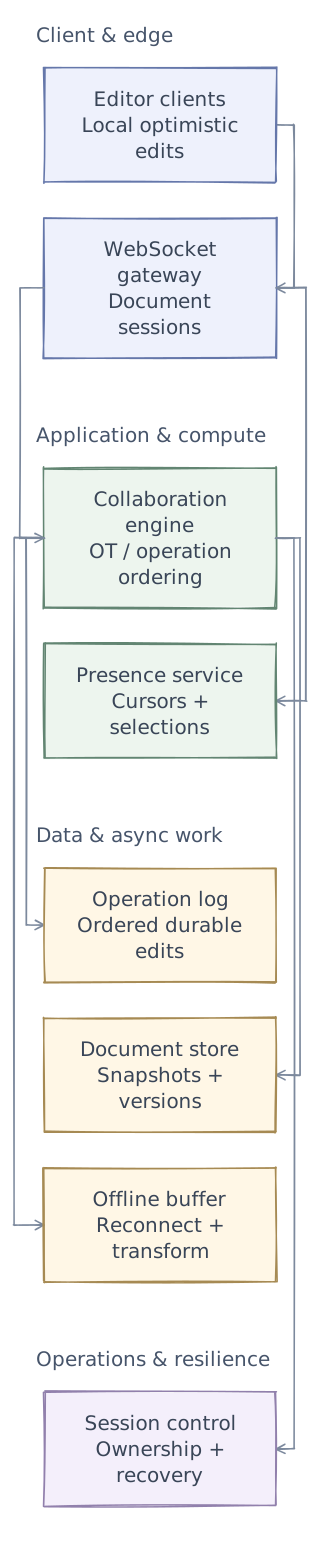
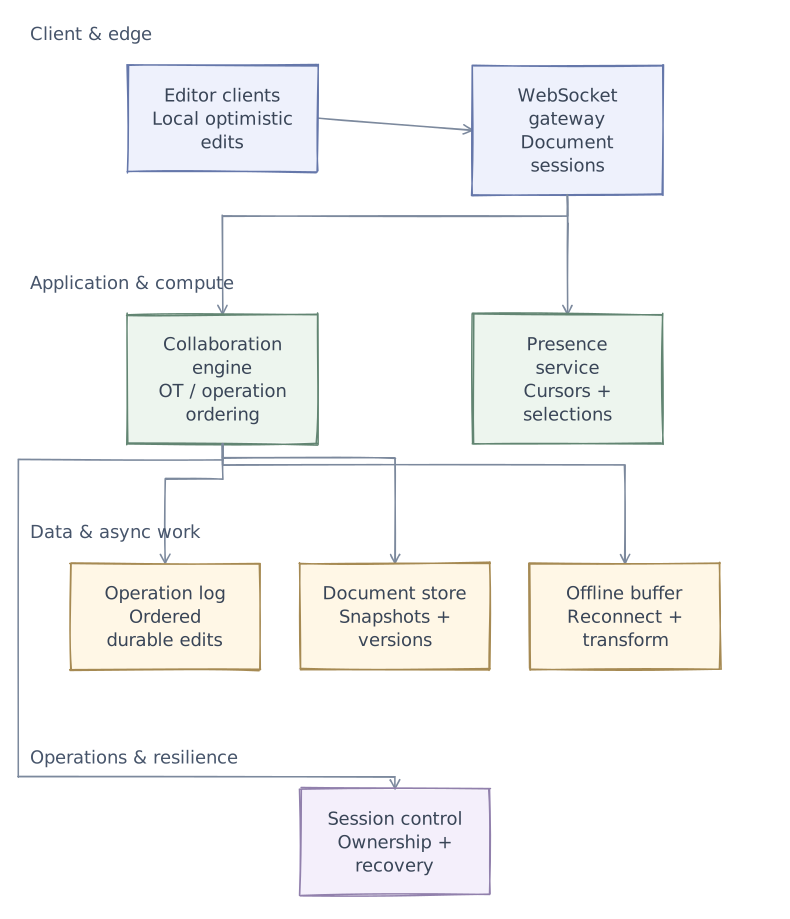
Phase 1 of 4 · Client & edge
Start with the entry points
First, define who uses the system and where requests enter. This is the boundary of the design, not yet a complete request path.
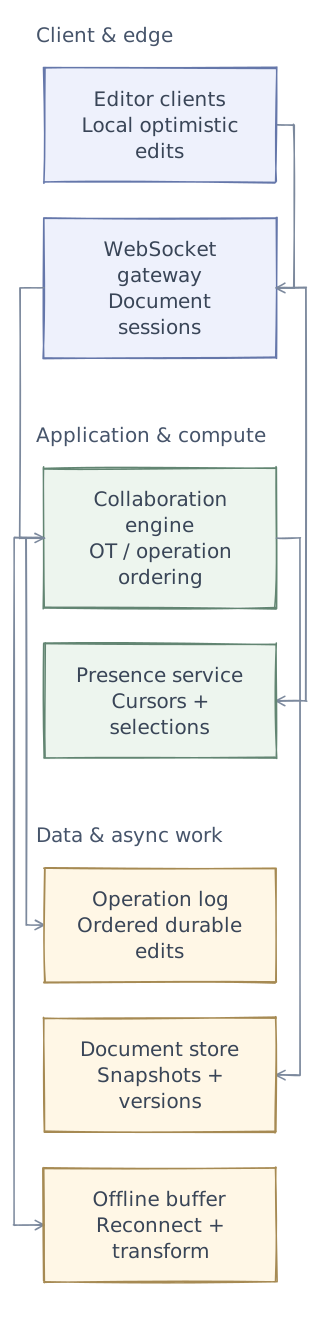
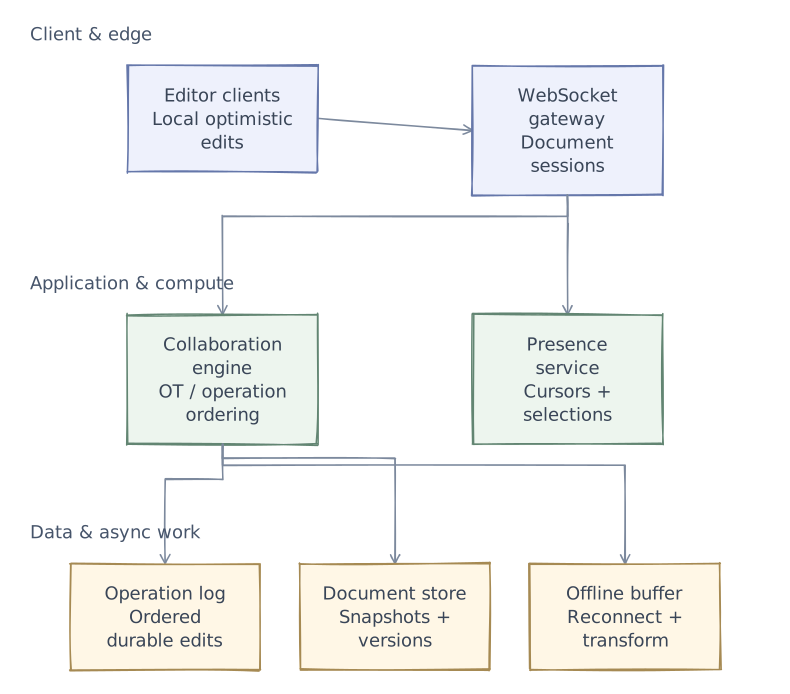
- Editor clients
- Apply local edits immediately and track operations awaiting server acknowledgement.
- WebSocket gateway
- Authenticate users and route each connection to its active document session.
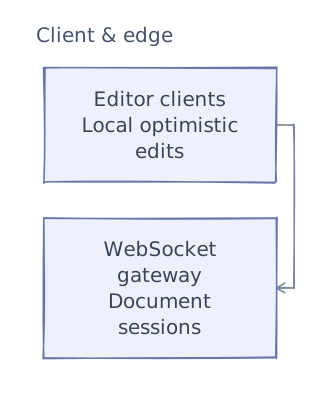
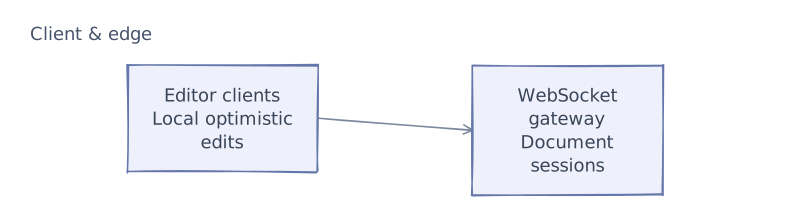
This first layer defines the system boundary. The next chapters add application logic and data dependencies. After examining the request paths and tradeoffs, we will add operational safeguards and bring the complete architecture together.
API & contracts
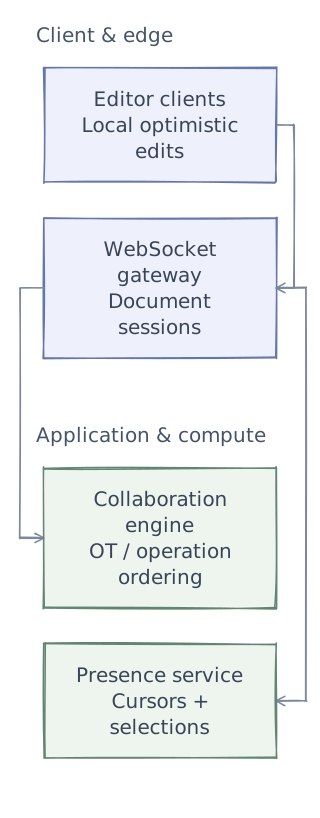
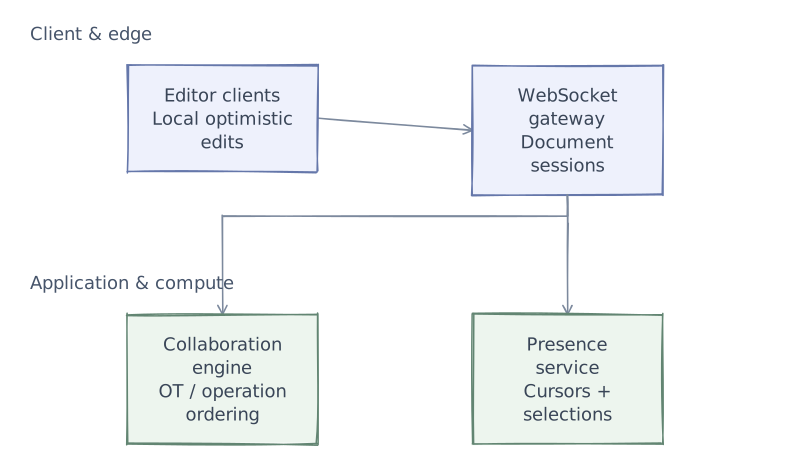
Phase 2 of 4 · Application & compute
Add the application logic
Keep the entry points and add the services that do the work. Give each service a clear responsibility before defining its contracts. Storage and background dependencies come next.
- Collaboration engine
- Transform concurrent operations against accepted history so clients converge on a shared document.
- Presence service
- Broadcast transient cursor state separately from durable document changes.
Detailed OT Client-Server Protocol
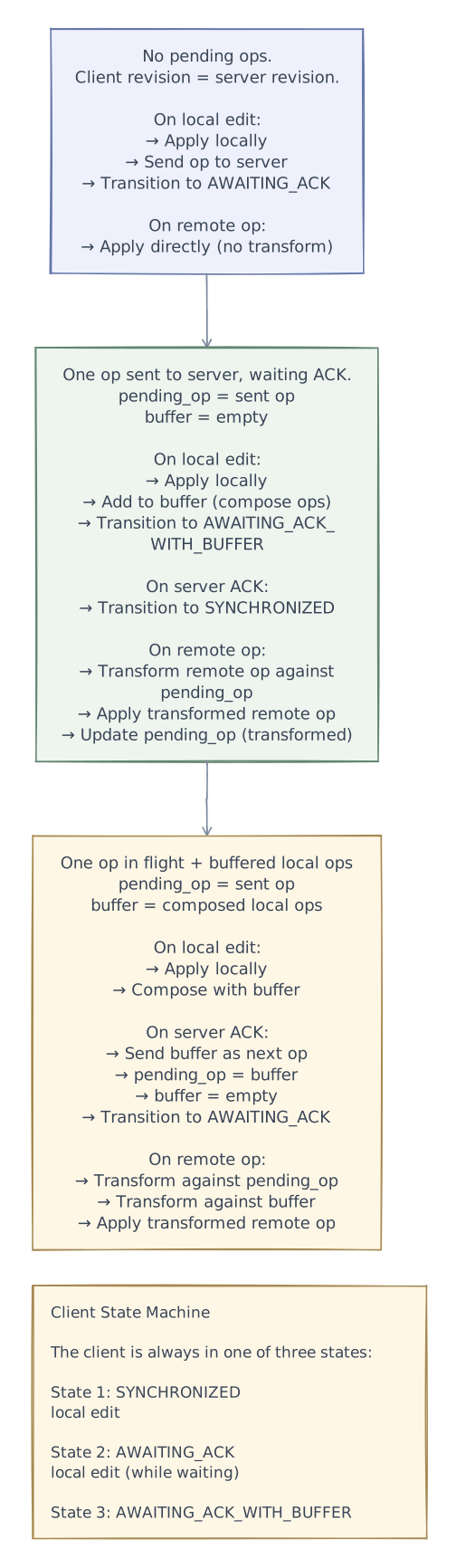
Client State Machine

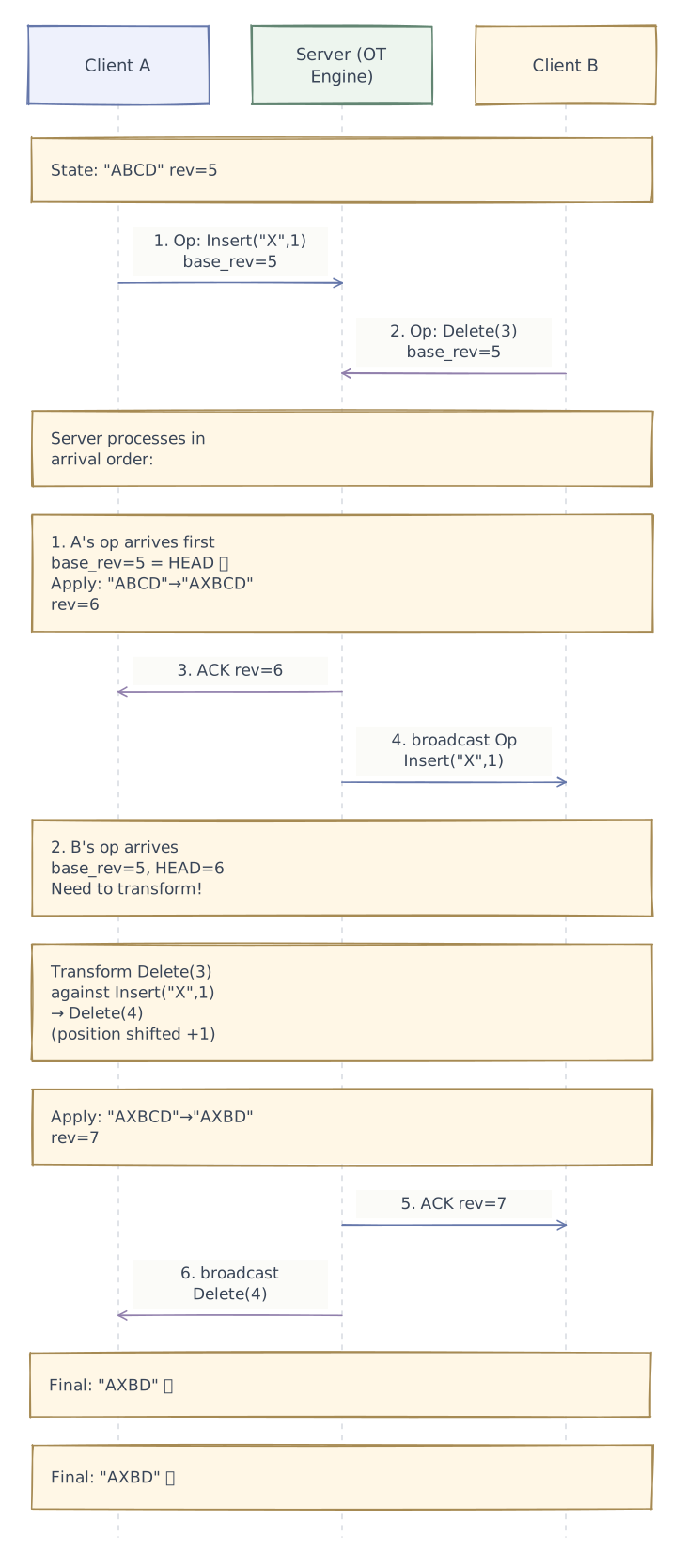
Server-Side OT Processing

Data model
Phase 3 of 4 · Data & async work
Connect data and background work
The services now need their dependencies: durable state, fast lookups, or work that continues outside a request. Separate these responsibilities rather than treating every component as a database.
- Operation log
- Append accepted operations for recovery, replay, and reconnect catch-up.
- Document store
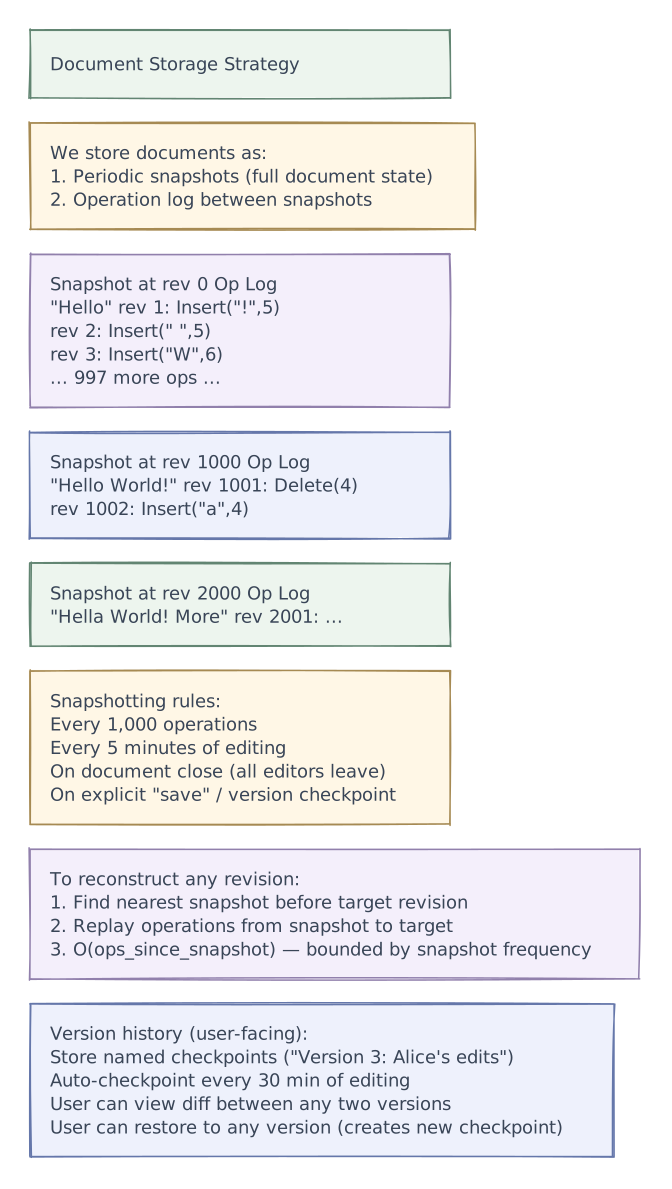
- Periodically snapshot the document so replay cost stays bounded.
- Offline buffer
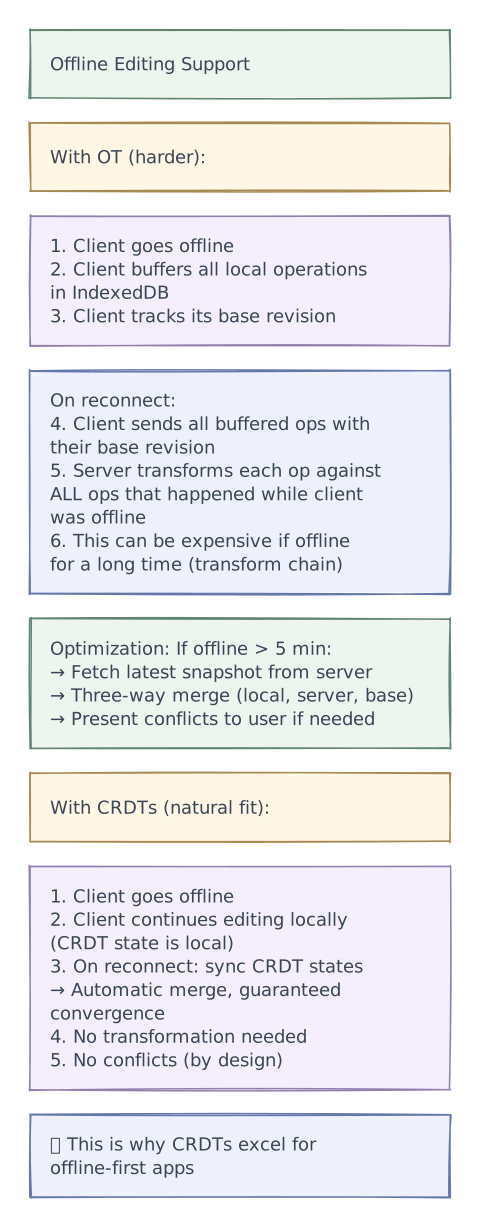
- Reconcile buffered edits against the current document revision instead of overwriting remote changes.
Document Storage & Versioning
Snapshot + Operation Log Model

Data Model

Core design decisions
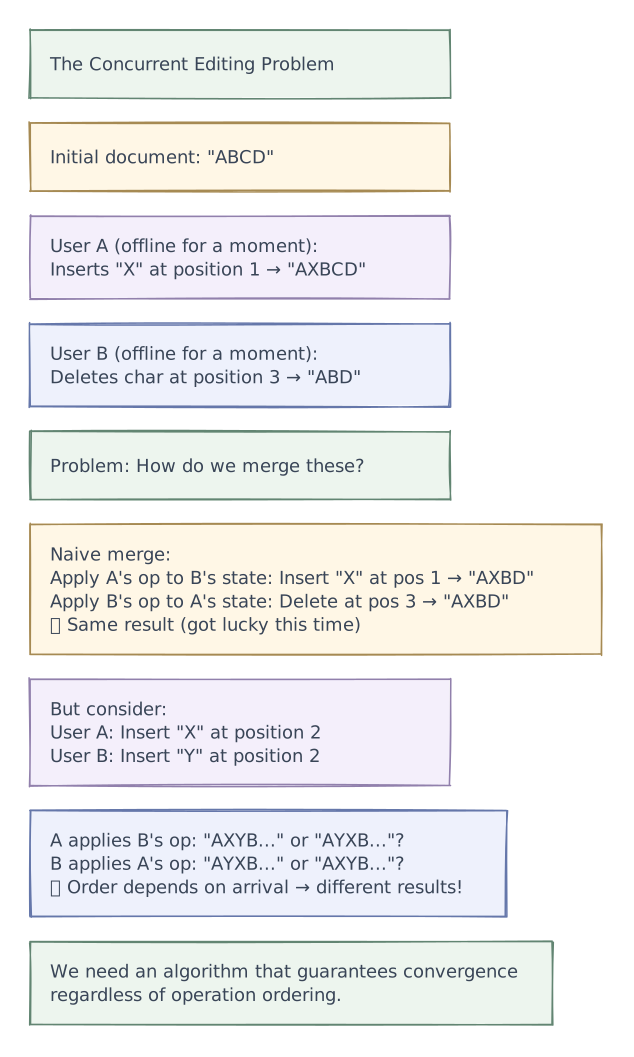
The Core Problem: Concurrent Editing

Algorithm Deep Dive: OT vs CRDTs
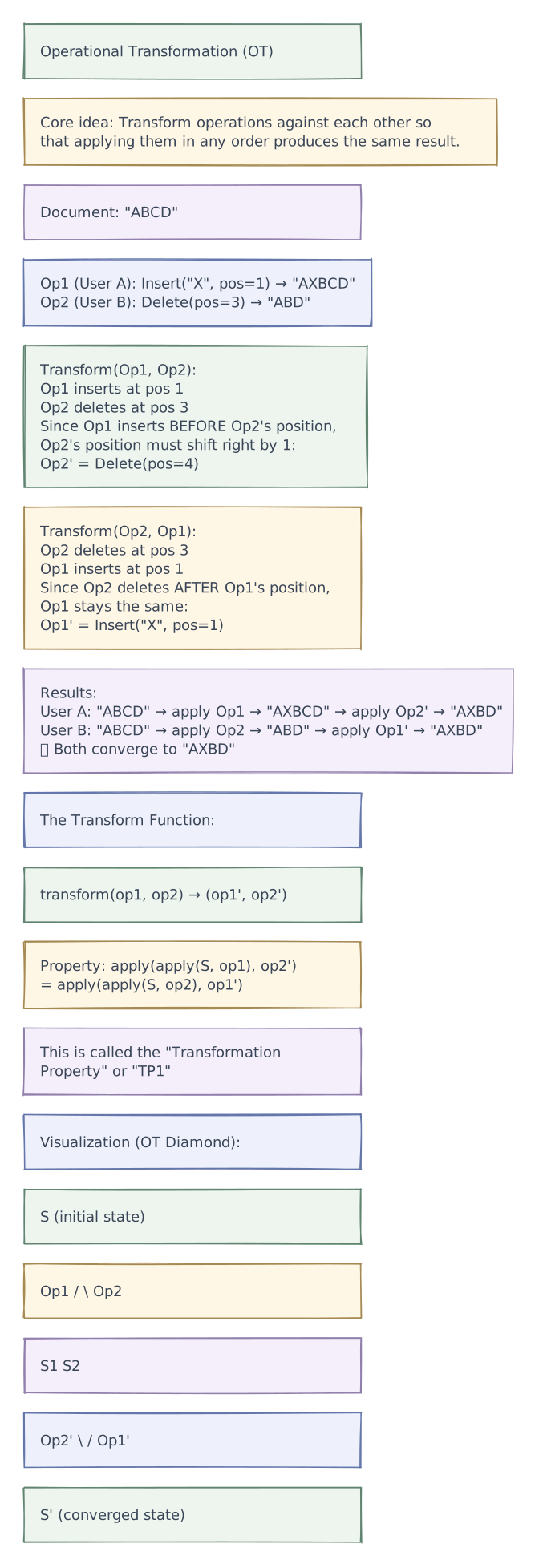
Option 1: Operational Transformation (OT)

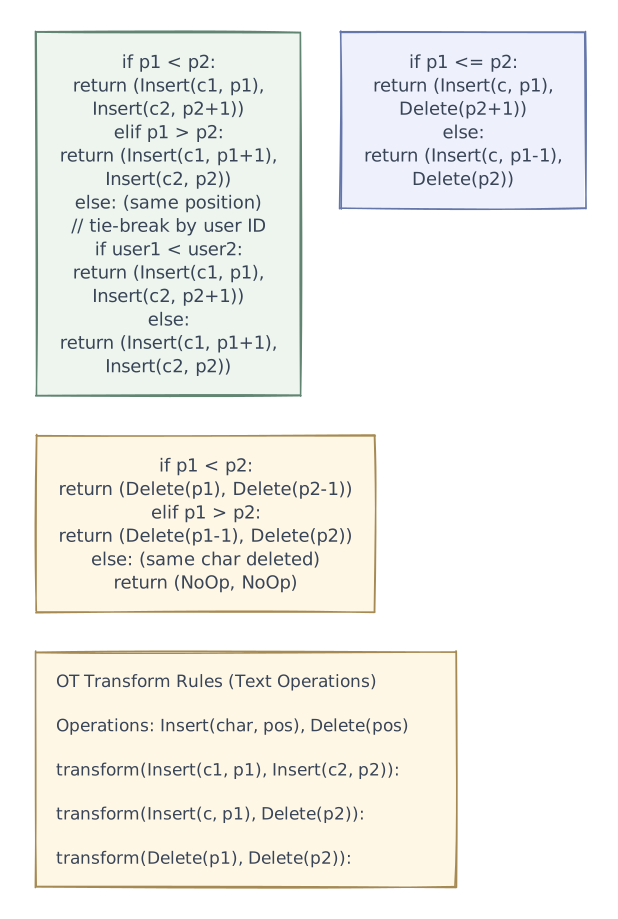
OT Transform Rules

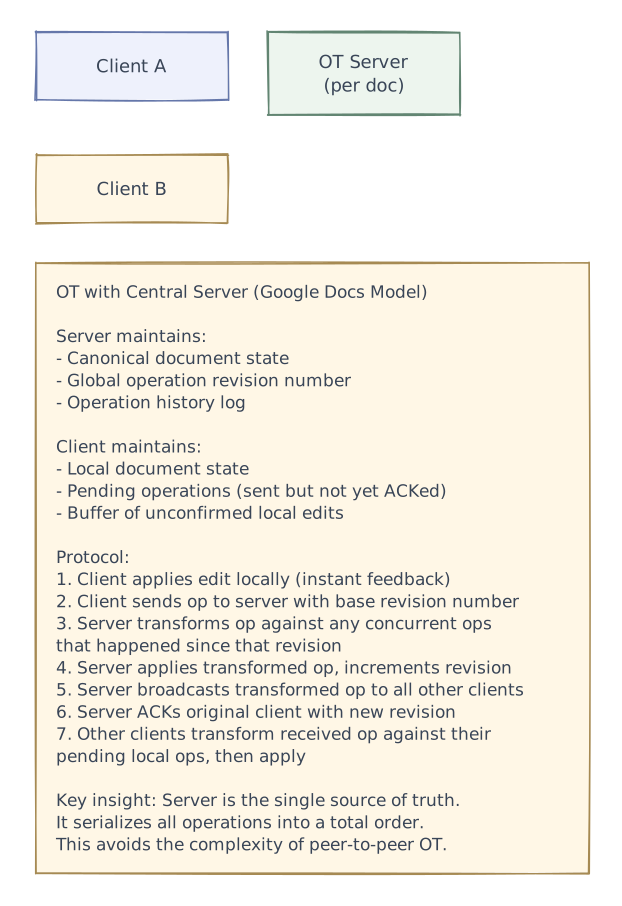
OT Architecture (Google Docs Approach)

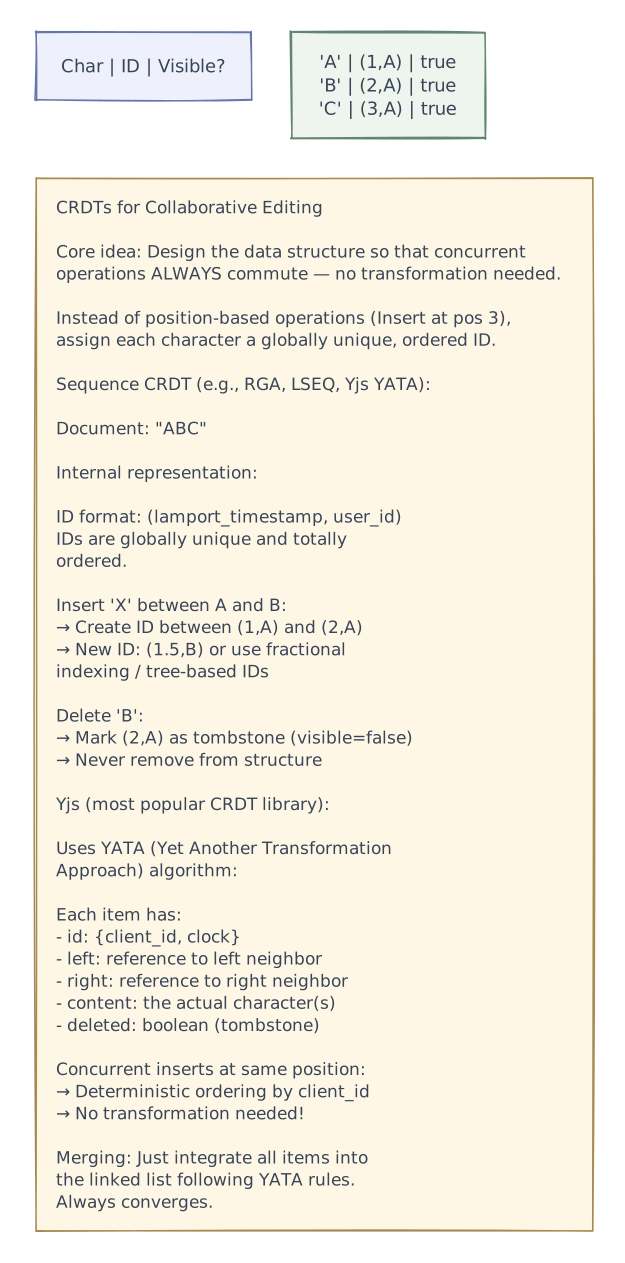
Option 2: CRDTs (Conflict-free Replicated Data Types)

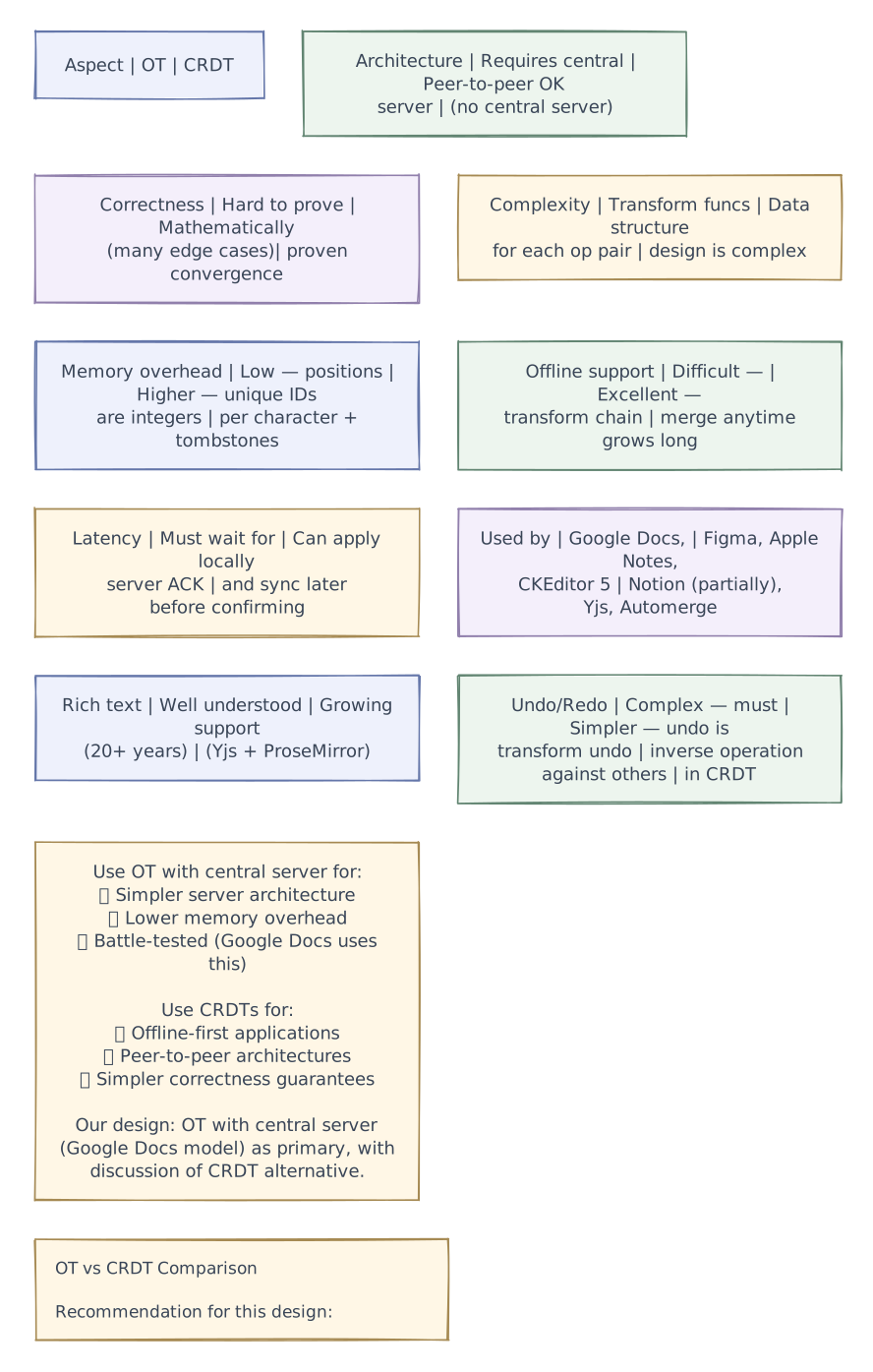
OT vs CRDT Comparison

Request flows
An editor applies an operation locally, sends it with a stable ID, and receives acknowledgement of its accepted position or version. Other editors apply the corresponding remote operation under the chosen OT or CRDT rules. A reconnecting client exchanges missing operations or loads a snapshot before replaying outstanding local changes.
Performance & caching
Batch nearby edits when that does not make typing feel delayed. Cursor movement and presence can be throttled or dropped; document operations cannot be discarded on the same basis. Periodic snapshots bound how much history a new participant must replay, but retain enough operation history to reconcile supported offline sessions.
Advanced design
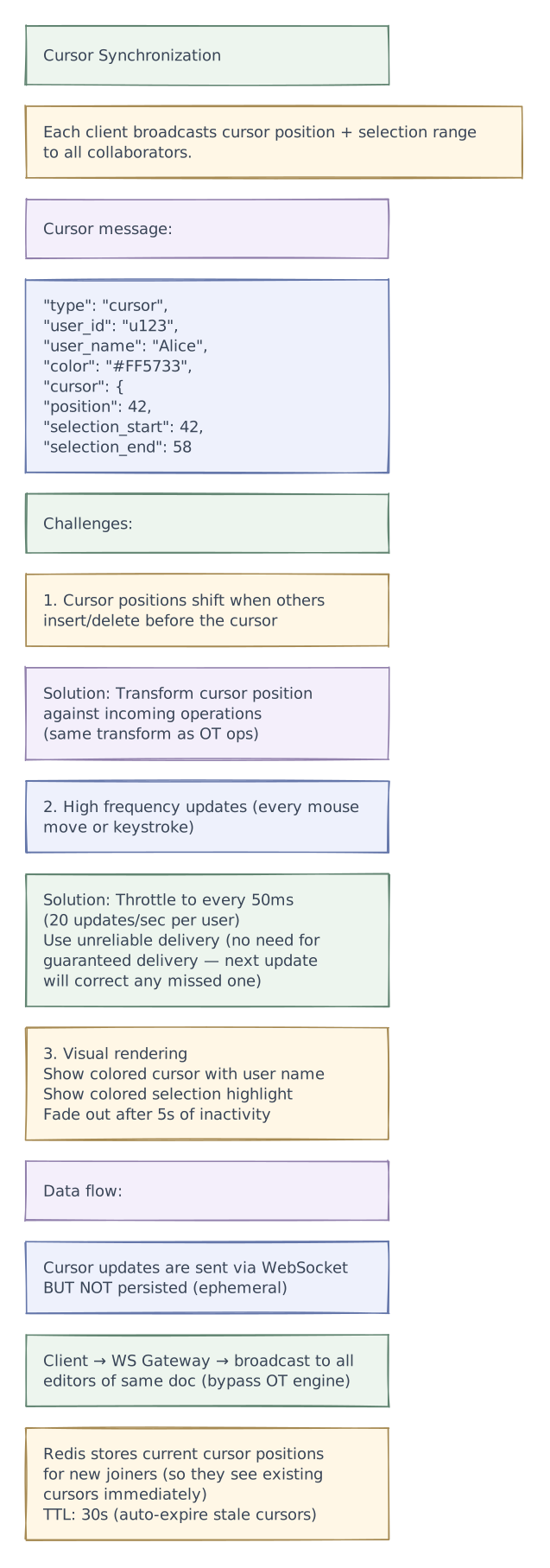
Cursor & Selection Sync

Presence System

Rich Text Document Model

Comments & Suggestions

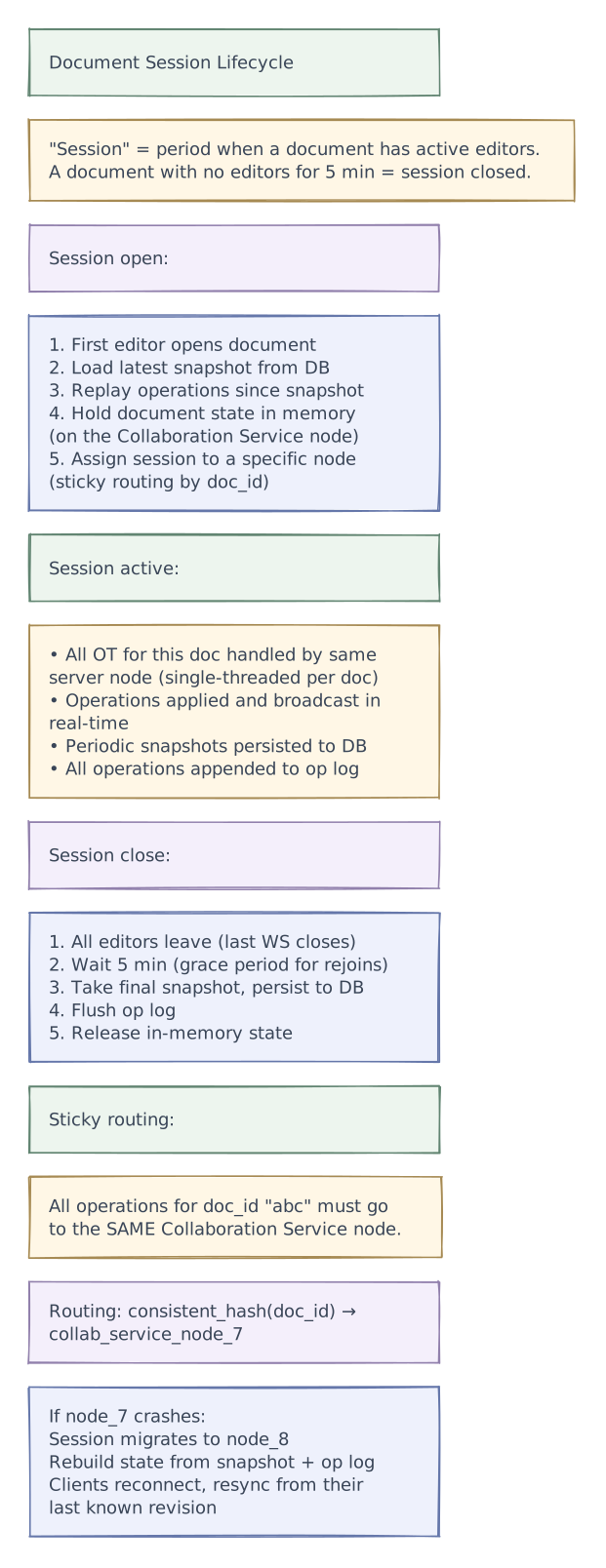
Document Session Management

Edge cases
Offline Editing

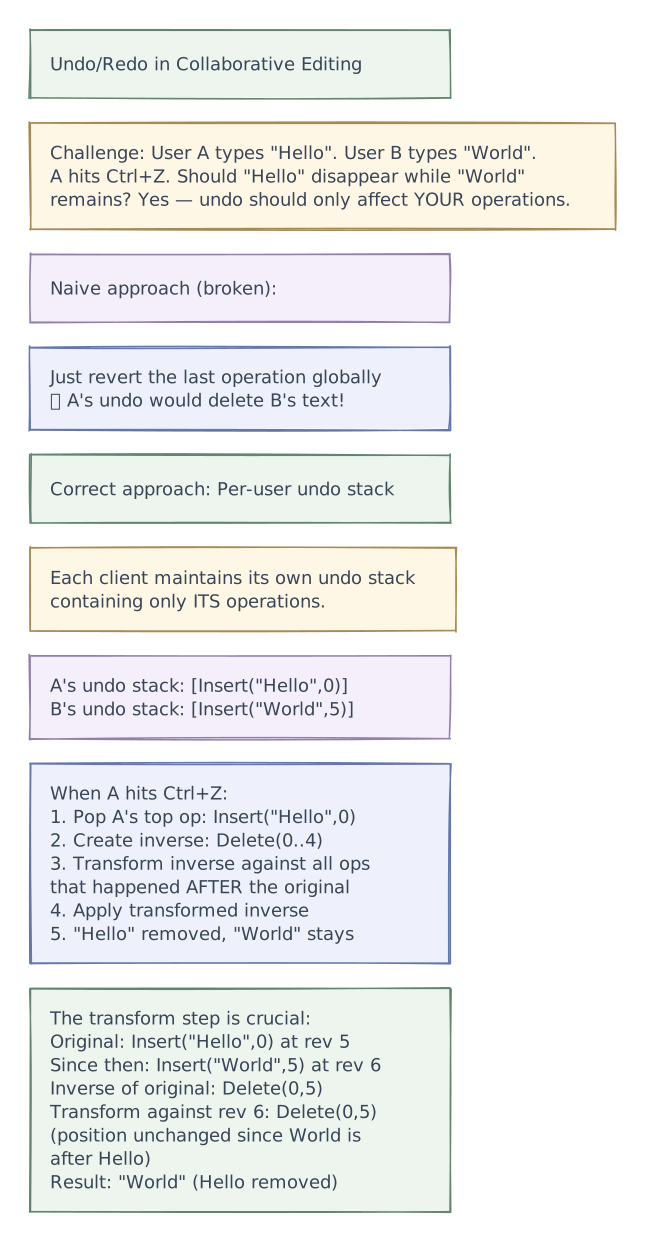
Undo/Redo in Collaborative Context

Tradeoffs
Tradeoffs & Design Decisions Summary
| Decision | Option A | Option B | Chosen | Why |
|---|---|---|---|---|
| Sync algorithm | OT (Operational Transformation) | CRDT (Conflict-free Replicated Data Types) | OT (server-centric) | Lower memory overhead, battle-tested (Google Docs), simpler architecture with central server |
| Architecture | Peer-to-peer | Central server | Central server | Simpler OT (single serialization point), easier persistence, permissions enforcement |
| Document model | Flat text (positions) | Tree-based (ProseMirror) | Tree-based | Rich text requires structure (paragraphs, lists, tables) |
| Storage | Full document per edit | Snapshot + operation log | Snapshot + op log | Space-efficient, enables version history, supports audit trail |
| Session routing | Random (any node) | Sticky by doc_id | Sticky | Single-threaded OT per doc — all ops for a doc must go to same node |
| Cursor sync | Reliable (guaranteed delivery) | Unreliable (fire-and-forget) | Unreliable | Cursors are ephemeral; next update corrects any missed one |
| Snapshot frequency | Every operation | Every 1,000 ops | Every 1,000 ops | Balance between recovery speed and storage cost |
| Offline | Disallow | OT transform chain | OT + fallback to 3-way merge | OT works for short offline; 3-way merge for extended offline |
| Undo model | Global undo stack | Per-user undo stack | Per-user | User's undo should only revert their own operations |
| Comments | Position index | Marker-based anchoring | Markers | Markers move with text as document changes |
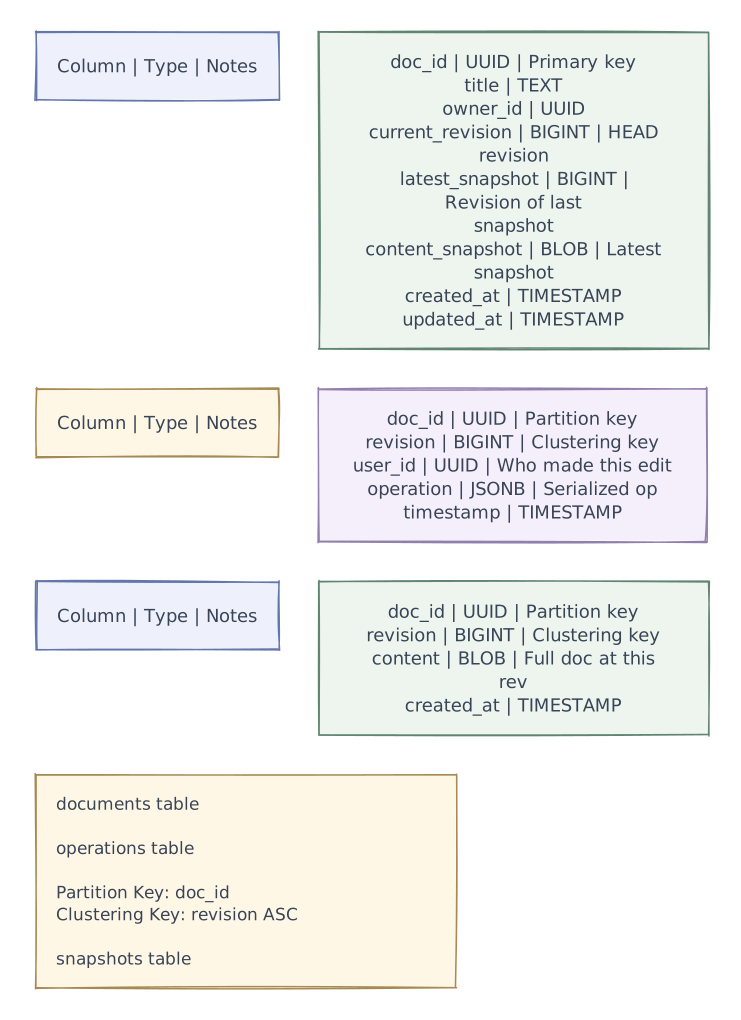
| Op log storage | MySQL | Cassandra | Cassandra | Append-heavy, partition by doc_id, linear scaling |
Reliability & fault tolerance
Phase 4 of 4 · Operations & resilience
Add operational safeguards
With the request paths and tradeoffs established, add the controls that help detect trouble and keep the system operating. The final diagram retains every layer introduced so far.
- Session control
- Use explicit session ownership and recovery rules to avoid concurrent authoritative editors.
Persist accepted document operations before acknowledging durable acceptance. If a collaboration server fails, reconnecting clients use stable operation IDs to avoid applying retries twice. Separate ephemeral presence from document state, and test recovery with two editors who kept working offline from different revisions.
Production architecture
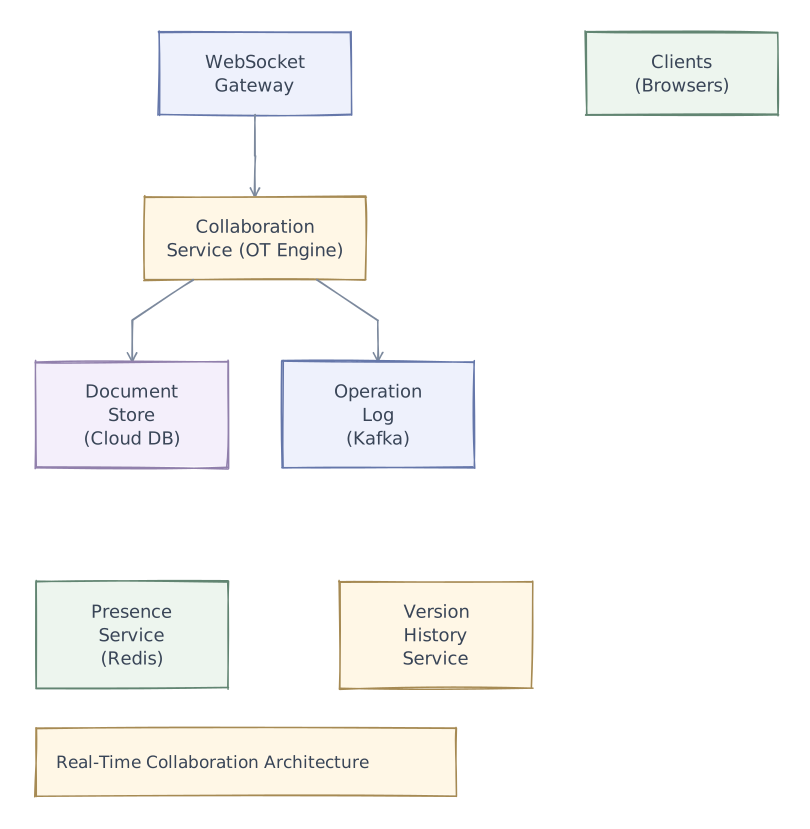
High-Level Architecture

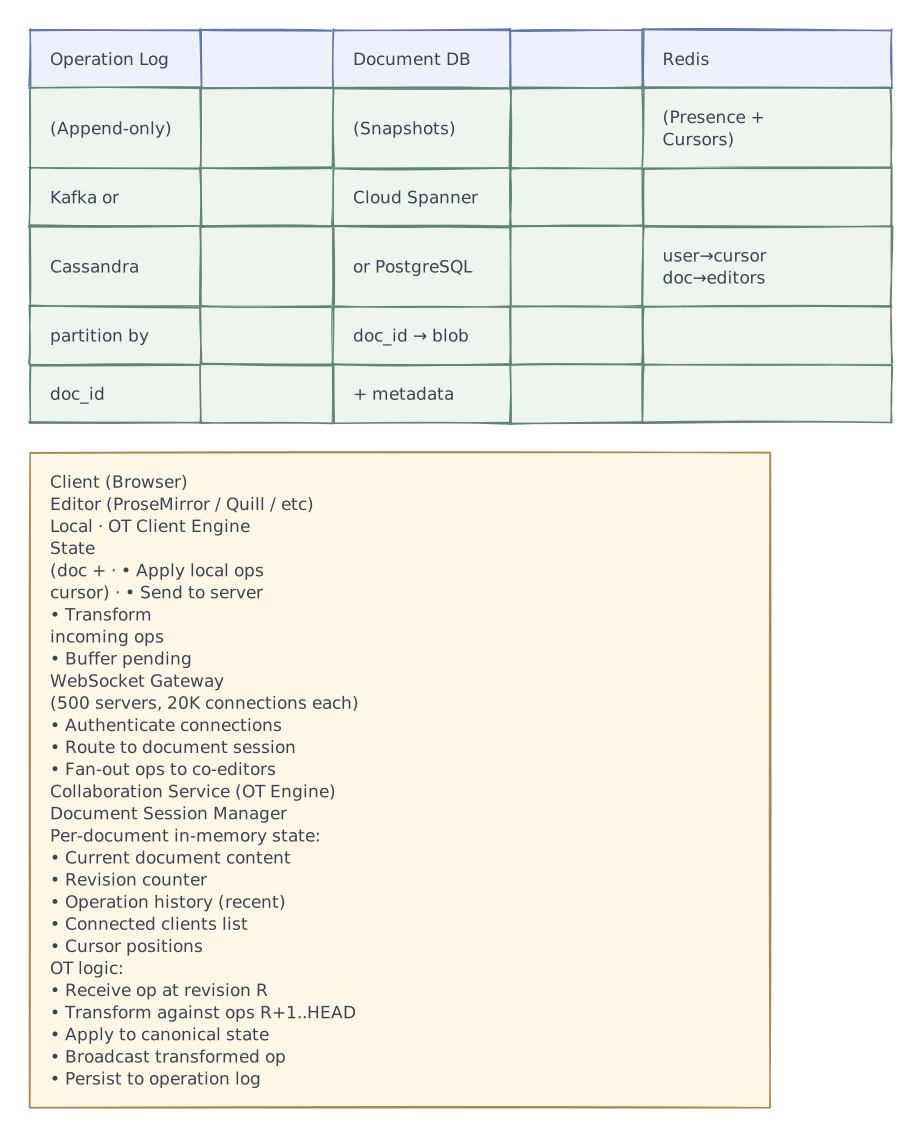
Detailed Component Architecture

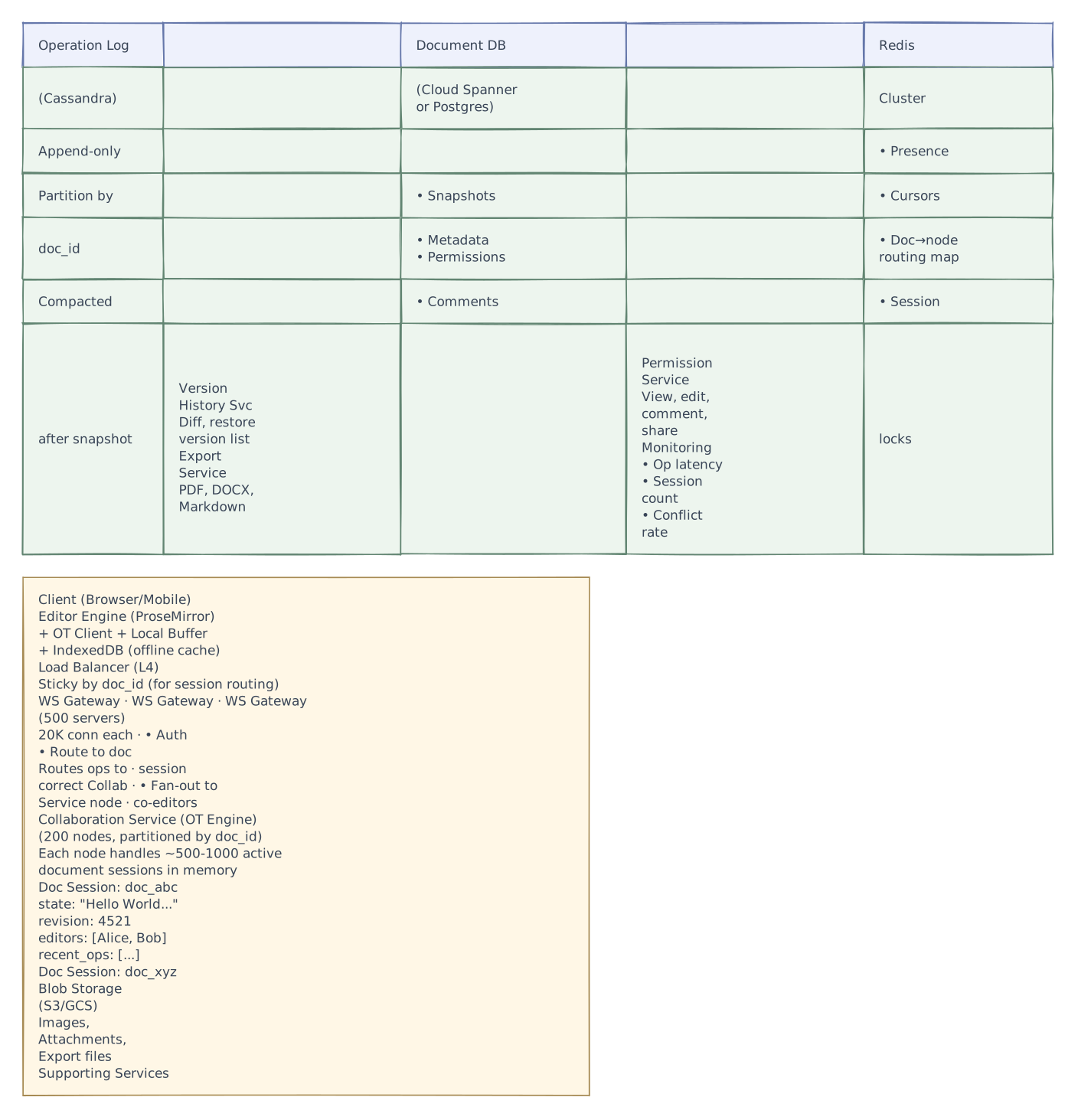
Production Architecture

Further exploration
Have one editor delete a paragraph while another inserts a sentence inside it. Describe the intended result before picking an algorithm. Then undo the deletion. This small exercise exposes whether the product’s editing semantics match the conflict-resolution rules rather than merely producing the same bytes on every device.
Interview playbook
Interview Tips
Start by stating the core challenge — "The fundamental problem is: two users edit the same word at the same time. How do we merge without losing either edit?" This frames everything.
Draw the OT diamond — Show state S, two concurrent ops, and how transformation produces the same result S' regardless of order. This visual sells your understanding.
Compare OT vs CRDT — Even if you choose one, show you know the other. "OT requires a central server but uses less memory. CRDTs work peer-to-peer but carry tombstone overhead."
Client state machine is a great deep dive — Show SYNCHRONIZED → AWAITING_ACK → AWAITING_ACK_WITH_BUFFER. This proves you understand the practical implementation, not just theory.
Don't forget cursors — Interviewers love the cursor sync detail. "Cursor positions must be transformed against incoming operations. We throttle cursor updates to 20/sec and use unreliable delivery."
Snapshot + op log for storage — "We don't store the full document on every keystroke. We take snapshots every 1,000 ops and replay the op log to reconstruct any revision."
Session stickiness is essential — "All operations for a document must route to the same server node. This gives us single-threaded OT — no distributed consensus needed for operation ordering."
Mention undo correctness — "Per-user undo stack. When you hit Ctrl+Z, it reverts YOUR last operation, not someone else's. The inverse is transformed against all subsequent ops."
Version history comes for free — "Because we store the operation log, version history is just 'replay ops from snapshot to revision N.' Diff is computed from the op sequence."
Name real implementations — "Google Docs uses server-centric OT. Figma uses CRDTs. Yjs is the most popular open-source CRDT library." This shows industry awareness.